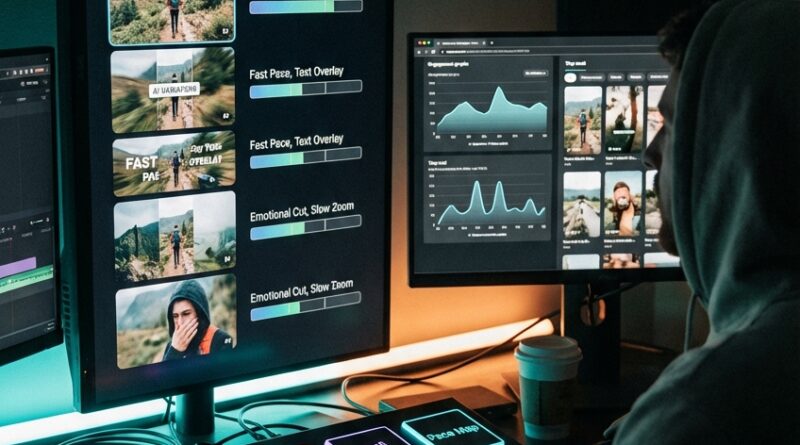
The ‘AI Alt-Take Timeline’ Hack: Auto-Test 5 Cuts Of Your Reel Without Re-Editing
You post a reel, watch the views crawl in, and within 20 minutes it is obvious. This one is not landing. That is frustrating enough. What makes it worse is knowing the idea was probably fine, but the first second was weak, the pacing dragged, or the crop missed the moment. And now you are supposed to go back into your editor and build four or five more versions by hand? Most solo creators do not have time for that. That is where this simple “AI alt-take timeline” approach helps. Instead of fully re-editing from scratch, you start with one finished clip, feed it into an AI editor that can make alternate cuts, and test several versions with different hooks, timing, captions, crops, and music sync. It is one of the most practical ai video editing hacks for testing multiple reel versions because it saves time without turning your feed into generic template sludge.
⚡ In a Hurry? Key Takeaways
- Yes, you can test 5 reel cuts from one source video without manually rebuilding each version in your editor.
- Start by changing only a few variables, hook, pacing, crop, captions, and music timing, so you can tell what actually improved results.
- Keep your original project and exports labeled clearly, or AI speed will just turn into file chaos.
What the “AI alt-take timeline” hack actually is
Think of it like making alternate trailers for the same movie. The footage is mostly the same. The feel is not.
Instead of cutting Version A, then reopening your editor to make Version B, C, D, and E, you upload one strong source edit or one long clip into an AI editing tool that can generate variations. The tool does the repetitive part. It can tighten pauses, try different opening frames, reframe the subject for vertical, shift subtitle timing, and snap cuts to different music beats.
You still make the decisions. The AI just does the annoying labor.
This matters because most reels do not fail because the whole idea is bad. They fail because the first two seconds did not earn attention, or because the energy dipped before the payoff.
Why this works better than one-tap templates
Templates are fast, but they often make your post look like everyone else’s post. Heavy manual editing gives you control, but it can swallow half a day.
The sweet spot is somewhere in the middle. You want your footage, your voice, your style, but with faster testing.
That is why multi-version AI editing is useful. It helps you test small but important differences without starting over each time.
What you can test from one reel
Here are the most useful variables to change:
- Hook: Start with the result, a question, a mistake, or the most visually interesting moment.
- Pacing: Remove micro-pauses, shorten dead air, and tighten scene changes.
- Crop: Keep the face, product, or action centered for vertical viewing.
- Captions: Try bigger text, faster word timing, or highlighted keywords.
- Music sync: Match key cuts to beats for a more “finished” feel.
- Length: Compare a 12-second cut to a 20-second cut.
You do not need to change all six at once. In fact, you should not.
The simple workflow: Make 5 cuts without losing your mind
Step 1: Build one “control” version first
Before AI makes alternates, create or export one version that feels close to done. This is your control. It gives you a baseline.
If your original reel gets poor watch time, you need something to compare against. Otherwise, every new version is just a guess.
Name it clearly. Something like:
- Reel-topic-control-v1
Step 2: Pick only 3 variables to test
This is where a lot of creators mess up. They change everything at once, then cannot tell what worked.
Choose only a few things, such as:
- Opening hook
- Cut speed
- Caption style
Leave the rest alone for now.
Step 3: Upload to an AI editor that supports variations
Look for tools that can do some mix of these jobs:
- Auto reframe for 9:16
- Silence removal
- Beat sync
- Caption restyling
- Scene-based trimming
- Multiple export versions from one project
You do not need the fanciest app on earth. You just need one that can quickly create alternate edits from the same source.
Some tools focus on social clips. Others are broader editors with AI assist. The feature matters more than the brand name.
Step 4: Create five specific alt-takes
Do not ask the tool for “five random versions.” That usually gives you messy results.
Be specific. A useful test set might look like this:
- Alt 1: Stronger hook in first second
- Alt 2: Faster pacing, same hook
- Alt 3: Tighter crop on face or product
- Alt 4: Same edit, different caption timing and keyword highlights
- Alt 5: Music-synced cut with shorter runtime
Now you are running a real test, not tossing spaghetti at the wall.
Step 5: Label every export like a sane person
This part sounds boring. It is also the part that saves you later.
Use names like:
- reel-topic-hookA-pace1
- reel-topic-hookA-pace2
- reel-topic-hookB-crop1
- reel-topic-hookA-caption2
- reel-topic-hookA-music1
If you skip this, all the speed you gained from AI will be wasted trying to remember which file was the “good one.”
Step 6: Test in a controlled way
You can do this a few ways.
If you have enough audience volume, post versions at similar times across platforms or on different days with the same general conditions. If you do not, use lower-risk testing first. Share to stories, close friends, backup accounts, or paid micro-tests if that fits your budget.
The goal is not perfection. The goal is learning which version earns attention fastest.
What metrics actually matter for reel testing
Views alone can fool you. A weak reel can still get some reach. The better signals are usually:
- Hold in the first 3 seconds
- Average watch time
- Completion rate
- Replays
- Saves and shares
If one version gets fewer total views but much stronger watch time and saves, that is often the better cut. It means the edit itself is stronger, even if distribution was uneven.
A good testing example
Let’s say you made a 22-second reel about a kitchen gadget.
Your original version opens with “So I tried this…” and then takes four seconds to show the gadget in action. That is risky. A faster alt-take might open with the result first, a close-up of the gadget solving the problem, then add your narration after the viewer is already curious.
Another version keeps the same opening shot but removes every tiny pause between spoken lines. Another shortens the whole reel to 14 seconds. Another keeps the timing but enlarges captions and highlights words like “worth it” or “fails.”
Same footage. Different behavior from viewers.
Common mistakes that make AI testing useless
Changing too much at once
If every version has a different hook, audio track, caption style, runtime, and ending, you will not know what improved performance.
Using AI cuts without watching them fully
AI is fast. It is not magically tasteful. Always review exports for weird crops, awkward caption breaks, and moments where the emotional beat gets clipped off.
Testing bad source footage
If the original clip is shaky, poorly lit, or confusing, five alternate versions of it may still underperform. AI can improve structure. It cannot rescue every weak idea.
Ignoring platform behavior
A cut that works on Instagram may not work the same way on TikTok or YouTube Shorts. Viewer expectations differ. Test with that in mind.
How to keep this from turning into another subscription mess
This is a real concern. A lot of creator tools start as “quick and simple” and end with three subscriptions, two cloud drives, and one very tired credit card.
Keep your setup lean:
- Use one main editor you already know
- Add one AI variation tool only if it saves real time
- Batch test one content pillar at a time
- Track results in a plain spreadsheet or notes app
If a tool cannot save you at least an hour or teach you something useful about audience behavior, it may not be worth keeping.
Best use cases for this hack
This workflow is especially good for:
- Product demos
- Talking-head tips
- Tutorial clips
- Before-and-after videos
- UGC-style ads
- Short educational reels
These formats usually rise or fall on hook, pacing, and framing, which are exactly the things AI variation tools can help test quickly.
At a Glance: Comparison
| Feature/Aspect | Details | Verdict |
|---|---|---|
| Speed vs manual re-editing | AI can spin out multiple pacing, crop, and caption versions from one base edit in minutes instead of hours. | Big win for solo creators |
| Creative control | You still need to choose what to test and review each export for odd cuts or bad framing. | Good helper, not autopilot |
| Testing value | When versions differ by a few clear variables, you can learn what improves watch time, saves, and completion rate. | Most useful part of the whole method |
Conclusion
You do not need a giant content team to test your edits like one. That is the real upside here. Creators are stuck between cheap one-tap templates that make everything look the same and full manual desktop edits that eat the whole afternoon. The “AI alt-take timeline” idea gives you a middle path. Upload one clip, create several smart variations, test them, and learn what actually hooks people before you push that reel everywhere. That makes this one of the more practical ai video editing hacks for testing multiple reel versions. Keep the workflow simple, change only a few variables at a time, and treat AI as a fast assistant, not the boss. Done right, you save time, avoid software overload, and get closer to the kind of rapid testing big teams use, without the big-team budget.