The ‘AI Rough Cut Stack’: Turn One Talking-Head Take Into 10 Platform-Ready Clips In Under 30 Minutes
You record one decent talking-head video, then lose half your day turning it into Shorts, Reels, and TikToks. That’s the part nobody tells you about. Finding the sharp moments, trimming out the throat clears, adding captions, resizing for each app, then tweaking the hook so it doesn’t die in the first two seconds. It’s tiring, and worse, it’s slow. By the time you finish, the trend you were trying to join has already moved on. The good news is you do not need ten more tools. You need a simple ai video editing workflow for reels and tiktok that gives each app one clear job. Think of it as a rough cut stack. First, use an AI clip finder to pull the best moments from one long take. Next, clean those clips in a transcript editor. Last, polish them in a mobile-first editor that actually feels built for creators.
⚡ In a Hurry? Key Takeaways
- Use a three-step stack: auto-clip finder, transcript editor, then CapCut or VN for final polish.
- Start with one strong talking-head take and aim for 10 rough clips first, then only polish the best 3 to 5.
- Let AI do the boring sorting, but keep your hands on the hook, pacing, captions, and final export.
Why this stack works better than one “do everything” app
Most all-in-one AI editors promise magic. Upload one video, press a button, go viral. That sounds nice until you see the results. The cuts are often close, but not quite right. The captions are usable, but a little stiff. The reframing is fine until your face gets cropped at the worst possible second.
That is why the rough cut stack makes more sense. You are not asking one app to be brilliant at everything. You are giving each tool one job.
Step 1: Auto-clip finder
Use OpusClip or SuperclipsAI to scan a longer talking-head video and suggest the moments most likely to work as short-form clips. This is your sorting hat. It saves you from watching your own footage five times just to find the one sentence that actually lands.
Step 2: Transcript-based editor
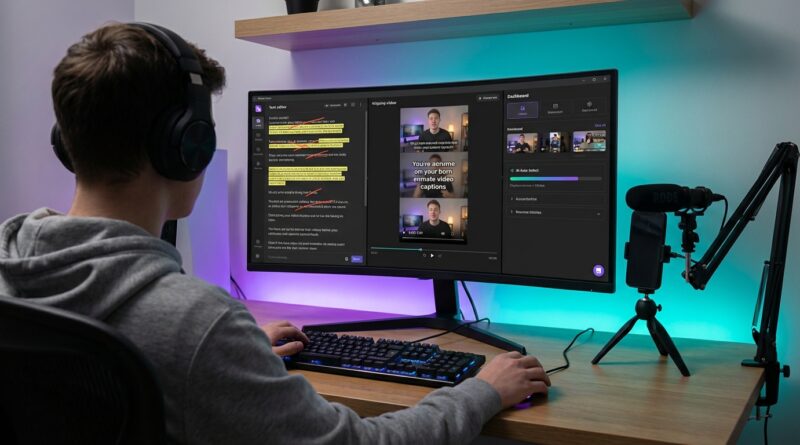
Move the best candidates into Descript. Now you can edit by reading, not by dragging tiny pieces on a timeline. Delete filler words, tighten rambling sections, and test a stronger opening line without getting lost in a sea of waveforms.
Step 3: Creator-native finisher
Finish inside CapCut or VN. This is where you handle the stuff AI still fumbles. Better on-screen text. Better pacing. Better zooms. Better caption styling. Better exports for each platform.
That is the whole idea. AI finds. You shape. Creator tools polish.
The under-30-minute workflow, step by step
Minute 0 to 5: Upload one talking-head take
Start with one source video. Ideally, this is 5 to 20 minutes long and built around one topic. A rant, tutorial, opinion, story, product reaction, or list works well.
Before uploading, do one quick check. Make sure your audio is clean. AI can forgive average lighting. It is much worse at fixing muddy sound.
Then upload to OpusClip or SuperclipsAI and let it generate short clip suggestions.
Minute 5 to 10: Pick 10 rough winners
Do not start perfecting anything yet. This is where a lot of creators waste time. Your only job here is to choose ten clips that have one of these traits:
- A surprising first sentence
- A strong opinion
- A clean lesson or takeaway
- A relatable pain point
- A punchy story beat
If a clip needs too much rescuing, skip it. AI is meant to reduce work, not create a new repair project.
Minute 10 to 18: Clean the script in Descript
Import the rough winners into Descript. This is where transcript editing shines. Read each clip like a tiny script.
Cut:
- Long wind-ups before the point
- Repeated phrases
- Weak endings
- Obvious filler words, if they slow the pace
Add:
- A sharper first line
- A clearer final sentence
- A short title card if the context is missing
Your goal is not to make the clip sound robotic. Leave some natural rhythm in. Short-form still needs a human voice.
Minute 18 to 30: Final polish in CapCut or VN
Now export the cleaned clips and bring the top few into CapCut or VN. This is the part where platform-ready actually happens.
Do these final checks:
- Reframe for 9:16 so your face stays centered
- Style captions so they are readable on a phone
- Add light zooms or punch-ins to keep movement alive
- Trim dead air at the start and end
- Add B-roll only if it helps the point
Keep it simple. Too many effects can make a smart clip feel cheap.
What each tool is actually good at
OpusClip and SuperclipsAI
These tools are good at speed. They can spot candidate moments, create rough reframes, and give you a starting point fast. They are not always great judges of nuance. A clip can score well and still feel flat because the emotion is wrong or the setup is too long.
Use them to narrow the pile, not make the final call.
Descript
Descript is great for creators who think in words. If you know a sentence is too long but hate fiddling with a timeline, this is where you get your sanity back. It is especially useful for talking-head content because most of the value is in what you said, not in a complex visual sequence.
CapCut and VN
These are where your clips stop looking auto-generated. CapCut has a lot of creator-friendly templates and text tools. VN is often cleaner and a bit less noisy if you want more manual control. Either is a solid finisher.
The biggest mistake creators make with AI clipping
They polish too early.
If you spend ten minutes perfecting the first AI-selected clip, you can easily burn an hour and end up with one okay post. Instead, work wide before you work deep. Generate a batch. Pick ten. Clean all ten. Then polish only the best few.
This gives you options. It also makes trends easier to catch because you can publish faster.
How to keep clips from feeling generic
This is the fear, right? Everyone is using the same tools, so everything starts to look the same.
The fix is simple. Keep your fingerprints on three things.
1. Rewrite the opening line
AI often chooses a decent starting point, not the best one. The first sentence should create tension, curiosity, or recognition. “Here’s how I save time editing” is fine. “I stopped wasting Saturdays in my editing timeline after this” is better.
2. Control the pacing
Machine cuts can feel a little too neat. Real short-form editing has rhythm. Sometimes you need a tiny pause before the punchline. Sometimes you need a harsher cut. If you want your edits to hit with more precision, this guide on Beat-Sync Like a Pro: The 10‑Minute ‘Dual-Frame’ Hack That Makes Your Edits Hit Every Drop is a smart next step.
3. Make captions sound like you
Auto-captions are a base layer. Fix the punctuation. Emphasize the right words. Break lines where people naturally read. Good captions are not just accessible. They are part of the performance.
A simple publishing plan for your 10 clips
Do not post all ten at once. That defeats the point.
Instead:
- Pick 3 clips with the strongest hooks for immediate posting
- Save 3 as backups and test new caption styles or thumbnails
- Hold 4 for trend tie-ins, reposts, or platform-specific tweaks
You can also change just the opening text on screen and reuse the same clip across Reels, TikTok, and Shorts. Often the edit is good enough already. It is the packaging that changes.
Who this stack is best for
This workflow is ideal for solo creators, small teams, coaches, educators, commentators, podcasters, founders, and anyone sitting on a pile of long-form footage that never gets repurposed.
If your content is heavily cinematic or depends on lots of visual storytelling, AI clip finders will help less. But for talking-head videos, interviews, tutorials, and opinion clips, this stack can save a huge amount of time.
At a Glance: Comparison
| Feature/Aspect | Details | Verdict |
|---|---|---|
| Auto clip discovery | OpusClip and SuperclipsAI quickly pull likely highlight moments from a longer talking-head video. | Best for speed, but always review picks yourself. |
| Script cleanup and structure | Descript lets you trim by editing text, which is much faster for spoken content than scrubbing a full timeline. | The smartest middle step for talking-head creators. |
| Final polish for platforms | CapCut or VN handles caption style, punch-ins, reframing, and exports in a way that feels built for short-form posting. | Where rough cuts become platform-ready clips. |
Conclusion
The point of this ai video editing workflow for reels and tiktok is not to hand your creative judgment over to a robot. It is to stop wasting your best energy on the boring parts. Creators are drowning in new AI tools, but what most people need right now is a battle-tested workflow that makes those tools play nicely together instead of adding more confusion. An auto-clip finder like OpusClip or SuperclipsAI can surface the likely winners. Descript can tighten the words. CapCut or VN can give you the final control over pacing, hooks, captions, and polish. That mix helps solo creators and small teams stay consistent, repurpose older footage, and keep up with trends without spending every weekend stuck in the timeline. Start with one good talking-head take. Build your rough cut stack. Then let the tools save time, while you keep the taste.