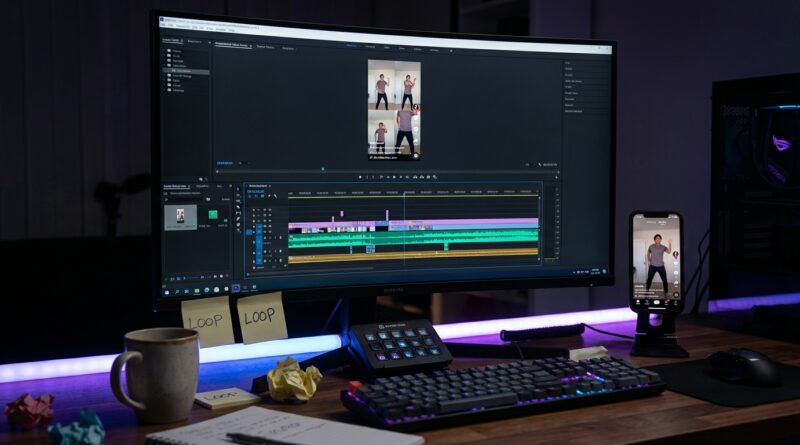
The ‘Auto-Loop Shorts’ Hack: Turn One Clip Into a Scroll-Stopping Infinite Reel
You know the feeling. One reel finally lands, people watch it, share it, maybe even replay it. Then comes the annoying part. Trying to turn that winner into a repeatable format can feel like unpaid editing overtime. You trim a clip, shift a cut by half a second, watch it back, and still see the loop break. Then you do it again. And again. That kind of trial and error is exactly what kills momentum for solo creators. The good news is you do not need a fancy studio workflow to figure out how to make looping reels for TikTok and Instagram. You need a simple system. The trick is to stop editing from scratch every time. Start with an AI clipper to find strong moments fast, then build your loop around a motion, phrase, or camera move that naturally brings the end back to the beginning. Done right, the seam disappears and viewers watch twice without noticing why.
⚡ In a Hurry? Key Takeaways
- To make looping reels work, pick a clip where the ending action, sound, or sentence can connect cleanly back to the opening frame.
- Use an AI clipper for the rough cut first, then fine-tune the first and last second by hand so the loop feels invisible.
- The goal is not just more views. It is more replays and watch time, which can help TikTok, Reels, and Shorts push the clip further.
Why looping reels are getting more attention
Most creators hear the same advice on repeat. Post more. Hook people fast. Keep it short.
That is not wrong. It is just incomplete.
Right now, short-form platforms care a lot about watch time and replays. If someone watches your 9-second clip twice because the end rolls neatly into the start, that sends a stronger signal than one quick view and a swipe away. That is why looping content often punches above its weight.
It does not need to be flashy either. A good loop can be a hand movement, a reaction shot, a repeated phrase, a pour shot, a before-and-after reveal, or even a camera pan that lands where it began.
The simple idea behind an “infinite reel”
A looping reel feels satisfying because the viewer cannot easily spot where it restarts.
That usually happens in one of three ways:
1. Motion match
The last frame mirrors the first frame closely enough that movement hides the transition. Think stirring coffee, turning your head, opening a laptop, or walking through a doorway.
2. Audio match
The end of a sentence, beat, or sound effect blends into the beginning. This works especially well with repeated phrases, music hits, or ambient sounds.
3. Visual reset
The clip ends on a wide shot, blur, whip pan, or quick object pass that makes the cut hard to detect.
If you can build around one of those, you are already ahead.
How to make looping reels for TikTok and Instagram in under 30 minutes
Step 1: Start with footage that has a repeatable moment
Do not force a loop onto a clip that has no natural return point. You will waste time.
Look for footage where:
- A movement starts and ends in a similar position
- A phrase can be cut so the last word feeds the first
- A camera move covers the frame at both ends
- An action has a clear “reset” point, like placing, pouring, flipping, pointing, or turning
If you are filming from scratch, plan for this. Leave a little extra footage before and after the action. That gives you room to hide the seam later.
Step 2: Use an AI clipper for the rough cut
This is where you save the most time.
Instead of scrubbing through a long video by hand, use an AI clipper or auto-highlight tool to pull out the strongest moment first. These tools are good at spotting speech peaks, reactions, punchy lines, and visual changes. They are not perfect, but they are fast.
Your job is not to accept the clip exactly as given. Your job is to let the tool do the boring first pass.
Once the rough cut is ready, export it into your usual editor, whether that is CapCut, Premiere Rush, Final Cut, Descript, or the native editor inside TikTok or Instagram.
Step 3: Find the seam before you do anything else
This is the part most people skip.
Play the clip on repeat and ask one question. Where could the ending meet the beginning without feeling awkward?
Look at the first second and the last second side by side. You are hunting for a visual or audio handshake.
Good seam candidates include:
- A hand returning to frame
- A face turning back to center
- A repeated word or breath
- A quick zoom or motion blur
- A cut on a beat or sound pop
If you cannot find one, the clip may still be good, but it may not be a true loop. That is fine. Not every short has to be.
Step 4: Trim from the end backward
Here is a useful trick. Instead of trimming the start first, trim the end first.
Why? Because the ending is what has to earn the replay. Once the last frame lands in the right place, you can adjust the opening to support it.
Move the out-point a few frames at a time. Then replay the transition back to the beginning. Keep going until the restart feels smooth.
Sometimes the fix is tiny. Two or three frames can make the difference between “clean loop” and “obvious cut.”
Step 5: Use audio to hide what the eye catches
People often notice bad loops with their eyes first, but audio can save you.
If the visual seam is close but not perfect, try:
- Adding room tone across the full clip
- Using a music beat that lands at both ends
- Placing a soft whoosh, tap, or click over the seam
- Cutting dialogue on a consonant or breath instead of dead silence
You do not want a loud effect that screams “edit here.” You want a gentle distraction.
Step 6: Keep the captions loop-friendly
Captions can ruin a loop if they disappear too early or reset awkwardly.
Try one of these approaches:
- Keep one short on-screen line for the whole clip
- End the caption with an unfinished thought that reconnects to the start
- Place text so it feels the same on first and second watch
A classic example is ending on a line that makes the viewer need the first second again for context.
That is not clickbait. It is pacing.
What kinds of clips loop best
Some formats are naturally better suited to infinite-style edits.
Best bets
- Recipe pours, stirs, and reveals
- Makeup transitions
- Desk setup and gadget shots
- Fitness reps
- Quick tutorials with repeated actions
- Comedy reaction cuts
- Before-and-after scenes
- Unboxings with circular camera moves
Harder to loop cleanly
- Long talking-head clips with no movement
- Footage with jumpy lighting changes
- Clips where the subject exits frame and never returns
- Stories with a clear ending that should feel final
That does not mean you cannot use those clips. It just means you may want to focus on strong retention, not perfect looping.
Common mistakes that make loops feel fake
Starting too early
If the viewer needs half a second to settle in before the action starts, the replay loses its snap.
Ending too late
Once the satisfying action is over, cut out. Hanging around after the payoff makes the seam obvious.
Ignoring the background
Watch for things like shifting shadows, changing screen text, moving people, or objects that suddenly jump position between the end and beginning.
Overusing transitions
A big flashy spin transition can hide a cut, but it can also make the reel feel cheap. Simple usually works better.
Forgetting platform-safe framing
If key motion happens too close to the edge, app interfaces can cover it. Keep the important action centered enough that the loop still works on both TikTok and Instagram.
A practical workflow you can reuse every time
If you want this to become a system and not a one-off experiment, use this checklist:
- Record 20 to 60 seconds of source footage.
- Run it through an AI clipper or auto-highlight tool.
- Pick one moment with clear motion or audio symmetry.
- Trim the end first, then match the opening.
- Test the first-to-last frame transition five times in a row.
- Add subtle audio glue if needed.
- Keep text simple and replay-friendly.
- Export and watch once on your phone before posting.
That whole process can fit inside 30 minutes once you get used to it.
How to tell if your loop is actually working
Do not judge it only by whether you like it.
Watch for these signs after posting:
- Average watch time close to or above clip length
- Replays or retained view-through on very short clips
- Comments like “wait” or “I watched this twice”
- Better performance than your usual static cutdowns
If a loop underperforms, that does not always mean the edit failed. The topic, thumbnail frame, caption, and first half-second still matter. But if people are replaying, the format is doing its job.
At a Glance: Comparison
| Feature/Aspect | Details | Verdict |
|---|---|---|
| AI clipper vs manual first cut | AI tools speed up highlight selection, but you still need to fine-tune the seam by hand. | Best approach is hybrid. Fast rough cut, human polish. |
| Visual loop vs audio-assisted loop | Visual loops rely on matching frames or motion. Audio-assisted loops use music, sound effects, or speech rhythm to hide the cut. | Use both when possible for the cleanest result. |
| Standard short vs looping short | A standard short aims for one complete watch. A looping short is built to encourage replay without feeling repetitive. | Looping shorts often have stronger watch time when the edit is subtle. |
Conclusion
You do not need to become a full-time editor to make this work. You just need a repeatable process. Right now, social feeds are rewarding watch time and replays, not just views, which is why looping shorts are quietly outperforming standard cuts for creators who know how to build them. Most big tech blogs talk about posting consistently and hooking early, but skip the practical edit that makes someone watch your clip two or three times in a row. Start with an AI clipper to rough-cut the moment, find the action or phrase that can end where it starts, and then fine-tune the first and last beats until the seam disappears. That can save hours of guesswork, help you get more posts out of the same footage, and make your content fit the way TikTok, Reels, and Shorts are ranking videos today. Start small. One clean loop is enough to change your whole posting rhythm.