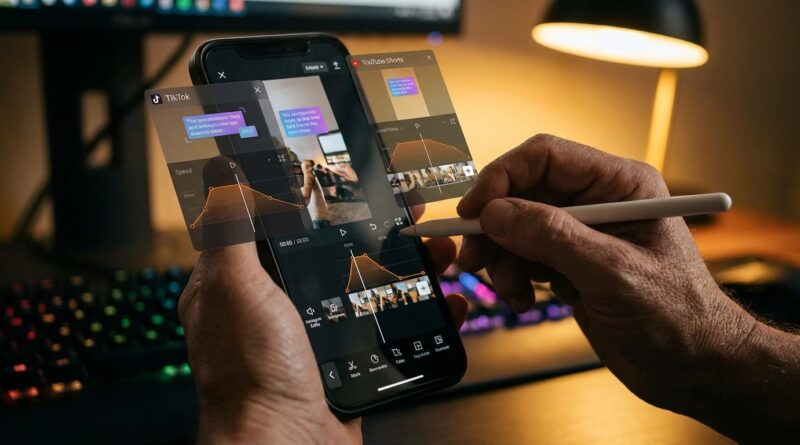
The ‘Native Edit Stack’ Hack: Use Built‑In Tools To Make Reels And Shorts Look Pro In Half The Time
You know the drill. Shoot a quick video. Open one app to trim it, another to resize it, a third to add captions, then bounce back into TikTok, Instagram, or YouTube to upload the finished file. By the time you are done, the sound you wanted is old news and your “quick post” has eaten your afternoon. That is why more creators are starting to use a native edit stack instead. In plain English, that means doing as much of the edit as possible inside the platform you plan to post on. Right now, that is not just faster. It can also help your reach. TikTok, Instagram Edits, and YouTube Shorts have all added better built-in tools, including speed ramps, silence cutting, and animated captions. If you want native editing hacks for TikTok Reels and YouTube Shorts, the big shift is simple. Stop treating built-in tools like a last step. Start treating them like your main workspace.
⚡ In a Hurry? Key Takeaways
- Using TikTok, Instagram Edits, and YouTube Shorts built-in editors can cut your production time roughly in half for short-form posts.
- Do your rough cut outside the app only if you must. Save captions, sounds, speed changes, and final timing for the native editor.
- Keep a clean master clip on your phone. You can reuse it safely across platforms without paying for extra software.
Why the native edit stack suddenly matters
For years, the “serious creator” workflow looked like this. Shoot on your phone. Edit in CapCut, Premiere Rush, VN, or another app. Export. Compress. Upload. Fix text placement because each platform crops differently. Add music again. Then publish and hope for the best.
That worked when built-in editors were clunky. They often felt like toy versions of real editing software. But the gap has narrowed fast.
Now the platforms want you to stay inside their walls. That means they keep shipping better editing tools, and they have a strong reason to reward content made there. They can read the edit data, tie it to trends faster, and make it easier for users to remix or interact with native content.
Is there a secret rule that says native edits always rank higher? No. The platforms do not spell it out that cleanly. But creators are seeing the same pattern. Posts made with built-in sounds, captions, templates, timing tools, and trend-friendly features often get pushed harder than polished exports that arrive as flat finished files.
So this is less about a magic trick and more about removing friction. The easier you make it to post, the more often you post. The more native signals you use, the more aligned your content is with what the app wants.
What a “native edit stack” actually looks like
The phrase sounds fancier than it is. A native edit stack is just a simple workflow with three parts.
1. Capture clean footage once
Shoot in your phone camera, not always inside the app. Your regular camera gives you better control, cleaner files, and a backup if the app crashes. Record vertically in 9:16. Leave extra headroom and space at the bottom so text and buttons do not cover your face.
2. Do only the prep work outside the platform
If you need to, trim obvious mistakes, fix exposure, or combine clips lightly. Keep it minimal. Think of this as prep, not the finished edit.
3. Finish inside TikTok, Instagram Edits, or YouTube Shorts
This is where you add the pieces that matter most for performance. Captions. Sounds. Speed changes. Auto-cutting. On-screen text. Stickers. Templates. Beat timing. These are the things the platforms can “see” most clearly.
That is the heart of native editing hacks for TikTok Reels and YouTube Shorts. Use outside apps for cleanup if needed. Use native apps for the final polish that viewers and algorithms actually react to.
The fast workflow that saves the most time
Here is the repeatable routine I would recommend to almost anyone making short-form content a few times a week.
Step 1: Film a little wider than you think you need
This one habit solves a lot of headaches later. Different platforms place captions, usernames, buttons, and audio labels in different spots. If your face is tight in frame, one app might crop perfectly while another covers your mouth with text.
Give yourself space. It looks less dramatic while filming, but it gives you freedom later.
Step 2: Record one clean “master take”
If you are talking to camera, do one strong full take before chasing fancy cuts. Native editors are getting better at silence removal and clip trimming, which means a solid master take can now go a long way.
Step 3: Save your clips to a simple folder system
Make folders like:
Raw Clips
Ready to Post
B-Roll
Hooks and Intros
This sounds boring. It is also what keeps you from re-shooting things you already made.
Step 4: Build each post natively from the same master file
Import the same source clip into TikTok, Instagram Edits, and YouTube Shorts separately. Yes, separately. Do not export one finished version and force it everywhere. The whole point is to let each platform’s editor handle the final layer.
Step 5: Add platform-specific finishing touches
Use the caption style that looks natural on that app. Use sounds from that app’s library. Use each platform’s beat sync, timing, sticker, or text animation options where they make sense.
This is how you move faster without making every video feel generic.
TikTok native editing hacks that actually save time
TikTok is still the fastest place to test native editing because trends move quickly and the edit tools are built for speed.
Use auto captions, then fix only the important words
Do not waste ten minutes perfecting every comma. Viewers care more that the captions are readable and timed well than whether they are grammatically flawless. Correct names, product terms, and any line that changes your meaning. Leave the rest alone.
Use speed ramps for pattern breaks
If your clip feels flat, a small speed change can make it feel edited without much work. Speed up a transition. Slow down the payoff line. Use it lightly. Too much and it starts to look gimmicky.
Cut dead air aggressively
TikTok punishes slow starts. If the first second is you reaching for the phone, cut it. If there is a pause before your point lands, trim it. Built-in silence cutting and manual trim tools can do more than most people realize.
Save text styles you use often
If you always use a hook at the top and a call to action at the end, create a visual pattern. Same font family. Same color. Same rough placement. You will edit faster because you stop making style decisions every single time.
Attach the sound late in the process
Many creators add the trending sound first and then struggle to edit around it. Try the reverse. Build the cut, then test sounds at the end. It is faster and you are less likely to force your message into a trend that does not fit.
Instagram Edits and Reels hacks for cleaner, faster posts
Instagram wants Reels that feel native to Instagram, not recycled leftovers from another app. That is why using Instagram Edits or the built-in Reels tools can be a smart move right now.
Use animated captions instead of designing your own every time
Custom captions can look great, but they are also a time sink. Instagram’s newer caption styles are good enough for most talking videos. Pick one style that matches your brand and keep moving.
Watch the safe zones
Instagram’s interface is cluttered. Captions too low get buried. Text too high can feel disconnected. Preview before posting. A video that looks perfect in your camera roll can look messy once the Reel UI appears.
Use native stickers and poll tools when they fit
This is not just decoration. Native interactive elements can signal that your Reel belongs on Instagram, not that it was made elsewhere and dumped in.
Keep your cover frame in mind during the edit
On Instagram, the thumbnail matters more than many people admit. Pick a frame with a clear face, product, or bold text. This saves you from making a rushed custom cover later.
YouTube Shorts hacks for people who hate over-editing
YouTube Shorts has become much friendlier for creators who want simple edits without opening a desktop program.
Use YouTube’s captioning and text timing for clarity
Shorts viewers often watch without sound at first. Clear text helps your opening line land immediately. You do not need a flashy kinetic typography masterpiece. You need readable words in the right moment.
Trim for retention, not perfection
YouTube viewers will tolerate slightly more natural pacing than TikTok viewers, but they still leave fast if you wander. Remove repetition. Get to the point sooner. Keep enough breathing room that you do not sound like an auctioneer.
Use Shorts-native music and remix features when it makes sense
YouTube has its own ecosystem now. If you want native editing hacks for TikTok Reels and YouTube Shorts, this is one of the biggest mindset shifts. Do not treat Shorts like a backup copy of your Reel. Build for it directly.
The 30-minute short-form routine
If you want a practical system, here is a realistic half-hour workflow for one talking-head video.
Minutes 1 to 5: Shoot
Record two takes. One safe. One more energetic. Keep the camera vertical. Leave room around your face.
Minutes 6 to 10: Pick the master take
Choose the better take. Trim the obvious start and stop points in your phone’s gallery if needed.
Minutes 11 to 18: Build in TikTok, Reels, or Shorts
Import the clip. Cut silence. Add key text. Create captions. Add one pattern-break edit like a zoom, speed change, or cutaway.
Minutes 19 to 24: Add native sound and final polish
Choose music or a trend sound. Lower it under your voice. Preview text placement. Check that no important words are hidden by interface buttons.
Minutes 25 to 30: Duplicate the idea, not the file
Take the same source clip and repeat the final polish in the next app. This goes much faster the second and third time because the structure is already built in your head.
That last point matters. You are not making three videos from scratch. You are adapting one raw asset with three native finishes.
What to stop doing right now
Some old habits are slowing creators down more than they realize.
Stop exporting captions burned into the video unless you really need to
Burned-in captions can limit flexibility and may clash with each platform’s layout. Native captions are easier to adjust and often look more at home.
Stop chasing perfect color grades for casual content
If your video is sharp, well-lit, and clear, that is usually enough for short-form. Many creators spend more time polishing than publishing.
Stop treating every post like a mini film project
Some videos should be polished. Most should just be clear, fast, and useful. The native stack works best when volume and consistency matter.
Stop using one exported file everywhere
This is the big one. It feels efficient, but often it is fake efficiency. You save five minutes up front and lose reach, flexibility, and native features later.
When third-party editors still make sense
Built-in tools are better than they used to be. They are not perfect.
You may still want an outside editor if you are doing heavy motion graphics, advanced color work, multi-layer compositing, brand-heavy client work, or long edits chopped into multiple clips.
That is fine. The goal is not to ban other apps. The goal is to stop using them by default when the native tools already do the job.
A good middle ground is this. Do complex edits outside. Do everyday shorts natively. That one change alone can save hours each week.
How to build a repeatable system that does not burn you out
The biggest win here is not one cool feature. It is reducing decision fatigue.
Create a few reusable content templates
For example:
Hook + 3 tips + call to action
Problem + fix + example
Before + after + lesson
If your structure stays simple, native editing becomes much easier because you know what clips and text beats you need.
Keep a note with your best hooks
When you hear yourself say something sharp, save it. Hooks are harder to invent on demand than most people think.
Use one visual style per platform
Not because you must. Because it speeds you up. The fewer font, color, and animation choices you make each time, the quicker you publish.
Review your own posts once a week
Look for drop-off points. Did the intro drag? Were the captions too small? Did the text cover your face? Small fixes inside native editors can improve the next batch fast.
At a Glance: Comparison
| Feature/Aspect | Details | Verdict |
|---|---|---|
| Speed | Native editors remove extra exporting, resizing, and re-uploading steps. | Best choice for frequent short-form posting. |
| Creative control | Third-party apps still offer deeper effects and more precise timeline control. | Use outside tools only for advanced edits. |
| Platform performance | Built-in captions, sounds, templates, and remix tools can help content feel more native to each app. | Strong advantage for reach and easier publishing. |
Conclusion
If you are tired of playing delivery driver between five different apps just to post one short video, the native edit stack is worth trying this week, not someday. Platforms are heavily boosting content that feels native, and their built-in tools have improved enough that you can now do a lot more without paying for extra software. Features like speed ramps, silence cutting, and animated captions are no longer bonus extras. They are part of a faster workflow. Most creators are still stuck in the old export-and-reupload habit, then wondering why posting takes forever and reach feels softer. You do not need a whole new production setup. You need a repeatable routine. Shoot one clean master clip, then finish inside TikTok, Instagram Edits, and YouTube Shorts with each platform’s own tools. That saves time, helps you publish more often, and gives you a better shot at riding the current algorithm wave while everyone else is still waiting for their export bar to finish.