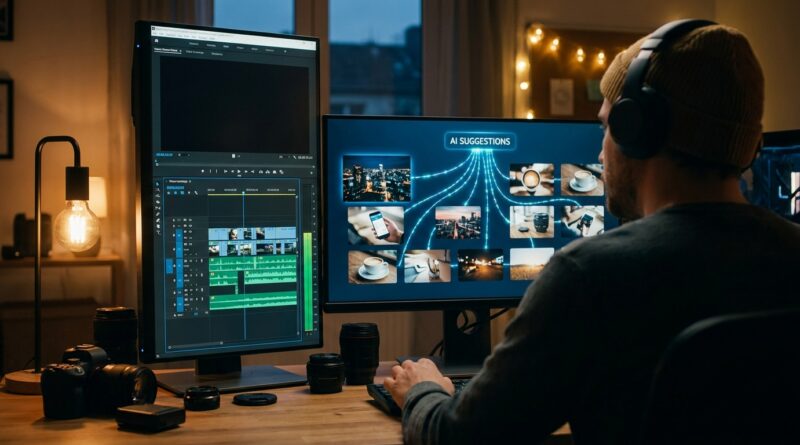
The ‘Auto-B‑Roll Match’ Hack: Let AI Cut Your Filler Clips While You Stay On The Timeline
You know the feeling. Your talking-head edit is finally clean, the hook works, the pacing is decent, and then you hit the annoying part. B-roll. Suddenly you are digging through stock clips, dragging in random shots, and trying to hide jump cuts with visuals that sort of match what you said five seconds ago. That is where a lot of good videos lose momentum. Not because the idea is weak, but because the edit gets bogged down in clip hunting.
Here is the smarter move. Use AI as a B-roll scout, not as the editor-in-chief. Let it analyze your A-roll, pull out what you are talking about, and suggest filler clips while you stay on the timeline making the actual creative calls. That is the real ai b roll video editing hack for tiktok reels shorts. It saves time, keeps your flow intact, and helps you publish more without making your videos look robotic or over-automated.
⚡ In a Hurry? Key Takeaways
- Use AI to suggest on-topic B-roll, but keep the final clip choices and timing in your own hands.
- Work line-by-line on your script or transcript so each jump cut gets a relevant visual fast.
- This works best as an assist, not a one-click auto-edit. You get speed without the cheap “AI-made” look.
The trick is simple: let AI hunt, let you direct
Most creators hear “AI video editing” and think auto captions, auto clipping, or those faceless reels that all look the same. That is not the interesting part anymore.
The real bottleneck is visual coverage. You already know what your A-roll says. You just need matching shots fast enough that you do not break your rhythm.
That is where this workflow helps. Instead of stopping your edit to manually search for every supporting shot, you feed your timeline, transcript, or script into a tool that can understand the topic and suggest visual matches. Then you drag in what works, trim it, and move on.
Think of it like having a junior producer sitting beside you. They are not making the film. They are handing you options so you can keep cutting.
Why this matters more than auto-clipping
Auto-clipping is fine when you need quantity. But if you are trying to build a recognizable style on TikTok, Reels, or Shorts, the killer is not usually the main footage. It is the dead air between cuts.
Bad or missing B-roll causes three problems fast.
1. It makes jump cuts feel cheap
A clean talking-head cut can still feel harsh if there is no visual relief. Good B-roll smooths that out.
2. It slows your whole publishing schedule
Searching manually for ten filler clips across one video can eat more time than scripting the thing.
3. It breaks your creative focus
You stop thinking about story and start thinking about file names, stock search terms, and whether “person typing laptop” is close enough.
That is why this ai b roll video editing hack for tiktok reels shorts is useful right now. It attacks the part of editing that is repetitive, not the part that makes your content yours.
How to actually do the Auto-B-Roll Match workflow
Step 1: Finish a rough A-roll cut first
Do not start with B-roll. Get your spoken track into decent shape first. Cut the pauses. Tighten the hook. Remove obvious mistakes.
You want a timeline that already sounds right, even if it still looks plain.
Step 2: Use transcript-based AI analysis
Take that rough cut and run it through a tool that can analyze speech, scenes, or both. Tools like ClipGOAT, Shortzly, ScreenApp, and NextClip already do parts of this. Some identify key moments. Some extract themes. Some suggest clip points. The point is not which brand wins. The point is the workflow.
Ask the tool to identify moments where supporting visuals would help. Good markers include:
- Topic changes
- Statistics or claims
- Process explanations
- List items
- Strong emotional lines
- Obvious jump cuts
Step 3: Get clip suggestions by line, not by whole video
This is where a lot of people go wrong. If you ask for “B-roll for this video,” the results get vague fast.
Instead, break it down. Line by line. Beat by beat.
For example:
- “Most creators stall when it is time to cover jump cuts” becomes timeline view, frustrated editor, fast cuts in a preview monitor.
- “You end up scrubbing stock sites” becomes search bar, stock grid, someone rejecting clips.
- “Losing the creative flow” becomes active editing timeline, markers, keyboard shortcuts, smooth scrub.
That gives the AI something concrete to match. It also gives you better visual variety.
Step 4: Keep the suggestions in a side bin
Do not let the tool auto-apply everything if you can help it. Have it place suggestions in a selects bin, visual panel, or export list. Then pull the best ones into your timeline manually.
This is the difference between using AI well and using it lazily.
You stay in control of:
- Which clip gets used
- How long it stays on screen
- Whether it covers a cut or plays over a key line
- How often B-roll appears
- Whether the visual style fits your brand
Step 5: Only cover what needs covering
You do not need wall-to-wall filler clips. In fact, too much B-roll makes a short feel busy and fake.
Use AI suggestions where they matter most:
- The first 3 seconds
- Harsh jump cuts
- Moments where you introduce a new concept
- Places where showing beats telling
That gets you speed and polish without burying your face and voice.
What good AI B-roll suggestions actually look like
Not every “relevant” clip is useful. Some are technically related and still wrong for the moment.
A good suggestion usually does one of these things:
- Explains the point visually
- Adds movement where the frame feels static
- Covers a cut cleanly
- Makes the idea feel more specific
- Matches the tone of the sentence
A bad suggestion usually feels generic. Think handshake footage, random office scenes, or dramatic drone shots that say nothing.
If the clip could fit into literally any business video on earth, skip it.
Best use cases for TikTok, Reels, and Shorts
Educational creators
If you explain apps, systems, money tips, fitness ideas, or creator strategy, AI-suggested B-roll is perfect for showing examples while you talk.
Talking-head personal brands
You do not need to become a faceless channel. Just break up your monologue with a few smart cutaways that support the point.
Commentary and reaction edits
These videos move fast. AI can help surface screenshots, context shots, or stock visuals that keep energy up.
Productivity and software demos
If your content mentions workflows, screens, tools, and steps, AI can suggest visual inserts that make your explanation easier to follow.
How this fits with a real creator workflow
The nice part is that this does not require throwing away your current editing style. It slides right into what many creators already do.
If you already build repeatable structures for short-form content, this pairs especially well with The ‘Template-To-Timeline’ Hack: Turn Viral Reel Layouts Into Reusable Editing Blueprints. That approach helps you standardize pacing and layout. This one helps you fill those visual beats faster with clips that actually match the words coming out of your mouth.
Together, they turn editing from “reinvent the wheel every time” into a system that still feels human.
Tool-agnostic prompt ideas you can use today
You do not need a magical button. You need better instructions.
Prompt idea 1
“Analyze this transcript and mark every sentence where B-roll would improve clarity or hide a jump cut. Suggest 2 to 3 visual concepts per line.”
Prompt idea 2
“Find moments in this short-form video where the visual pacing drops. Recommend relevant B-roll that matches the spoken topic and a vertical video style.”
Prompt idea 3
“For each key point in this script, suggest on-screen visuals that feel native to TikTok, Reels, and Shorts, not like generic corporate stock.”
Prompt idea 4
“Sort these suggested cutaway clips by usefulness: best for hook, best for jump-cut coverage, best for explaining a concept, best for adding motion.”
That kind of structure gets better output from almost any AI-assisted editing tool.
Mistakes to avoid
Letting the tool overfill the timeline
More B-roll is not always better. Short-form content still needs breathing room and face time.
Choosing clips that are accurate but boring
A clip can match the words and still kill the energy. Pick the one with movement, contrast, or a clearer idea.
Ignoring your own visual style
If your brand uses crisp screen recordings, handwritten notes, memes, or creator-shot inserts, keep that mix. AI suggestions should fit your style, not replace it.
Using AI as a taste substitute
The tool can find options. It cannot fully judge humor, tension, or brand personality the way you can.
Who should try this first
If you are editing three or more short-form videos a week and still doing all B-roll selection by hand, you will probably feel the time savings quickly.
It is especially useful for:
- Solo creators
- Small teams
- Agencies making client shorts
- Editors who need faster first drafts
If you are brand new to editing, this can also reduce the fear of “what footage am I even supposed to put here?” You still learn the craft. You just do not have to start from a blank page every single time.
At a Glance: Comparison
| Feature/Aspect | Details | Verdict |
|---|---|---|
| Manual B-roll search | Gives full control, but it is slow and often breaks your editing flow. | Best for high-end projects, too time-heavy for daily shorts. |
| AI-suggested B-roll assist | Analyzes speech or transcript, proposes matching visuals, and keeps you moving on the timeline. | Best balance of speed and creative control. |
| One-click full auto-edit | Fastest option, but often generic, overstuffed, and off-brand. | Useful for drafts only. Needs human cleanup. |
Conclusion
The smart use of AI in editing is not handing over the whole video and hoping for magic. It is shaving time off the boring parts so you can spend more energy on taste, timing, and storytelling. Right now the AI editing conversation is still stuck on auto-clipping and faceless reels, but the real bottleneck for serious creators is visual variety at speed. If you let tools like ClipGOAT, Shortzly, ScreenApp, or NextClip analyze your content and propose on-topic B-roll while you keep crafting the cut yourself, you get faster edits, fewer ugly jump cuts, and more posts per week without that weird “AI-made” vibe. That is what makes this ai b roll video editing hack for tiktok reels shorts worth trying. It is practical today, tool-agnostic, and it fits neatly into a real creator workflow instead of trying to replace it.