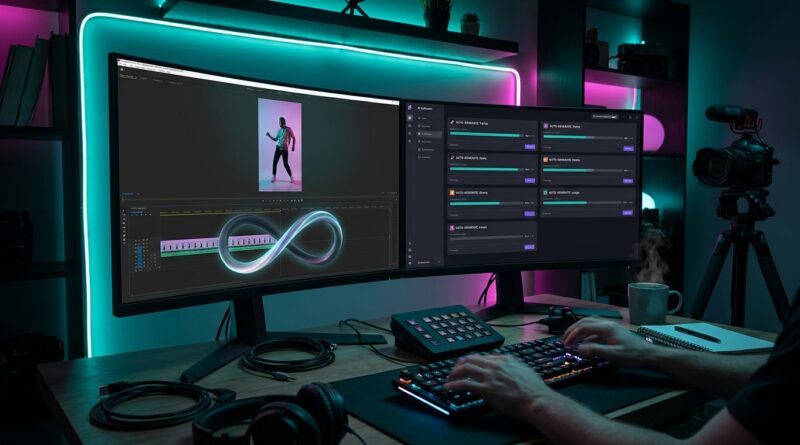
The ‘Loop-Once, Post-Everywhere’ Hack: Turn One Edit Into Infinite Social Clips With AI Smart Loops
You finally get one reel to pop off, and instead of celebrating, you open three editing apps and start the same job all over again. Resize for TikTok. Reframe for Reels. Trim a beat for Shorts. Export. Re-upload. Fix captions. Repeat. It is a boring time sink, and worse, it kills the one thing short-form rewards most, speed. By the time your clip is ready everywhere, the moment has often passed.
That is why more creators are using a looping video editing hack for TikTok Reels and Shorts. The idea is simple. Build one clean loop first, then let AI handle the repetitive stuff like smart cuts, auto-reframing, caption timing, and platform-safe exports. You are not making four different videos. You are making one strong video that can travel. If your goal is to post more, test faster, and stop spending your evenings babysitting exports, this is the workflow worth starting now.
⚡ In a Hurry? Key Takeaways
- Start with one seamless loop, then adapt it for TikTok, Reels, Shorts and newer apps instead of editing each version from scratch.
- Use AI tools for reframing, silence removal, caption syncing and safe cropping so your main job is picking the best hook and loop point.
- Clean loops often beat flashy edits because they quietly boost rewatches, saves and background play, which many platforms reward.
Why loops are suddenly doing so well
Short-form apps love watch time. That part is not new. What has changed is how often a simple loop can stretch that watch time without screaming for attention.
If a viewer does not notice where your clip ends and starts again, they often watch it twice. Sometimes three times. If the video also works with sound off and looks tidy in the first second, it has a better shot at being saved or left playing in the background.
That is why clean loops are quietly winning. Not because they look fancy, but because they make the metric go up.
If you want a deeper look at the format itself, The ‘Auto-Loop Shorts’ Hack: Turn One Clip Into a Scroll-Stopping Infinite Reel does a nice job showing why this style keeps pulling people into one more watch.
What “loop-once, post-everywhere” actually means
This is not some magic one-click button. It is a smarter order of operations.
Step 1: Make the loop first
Before you worry about platform sizes, create a clip with an ending that flows back into the opening. That can be a repeated motion, a matching camera angle, a sentence that circles back, or a music beat that resets naturally.
The loop is the product. Everything else is packaging.
Step 2: Build one master timeline
Edit a clean master version with your best hook, your captions, and your key visual in a safe center area. Think of this as the parent file.
Step 3: Let AI do the repetitive platform work
Once the master is done, use AI tools to crop, reframe, detect the speaker, move captions, trim dead air, and export versions for each app. Good tools can follow faces, keep the subject centered, and avoid cutting off on-screen text.
This is where the time savings show up. You stop dragging the same clip around by hand for every platform.
Where AI actually helps, and where it does not
AI is great at the boring jobs. It is not great at taste.
AI is useful for:
Auto-reframing a horizontal or wide shot into vertical. Tracking a face or product. Removing awkward pauses. Generating first-pass captions. Creating multiple aspect ratio exports. Spotting likely hook moments from longer footage.
AI is not a substitute for:
Choosing the right first second. Knowing where the loop should close. Deciding whether the ending feels satisfying. Writing captions people will actually want to read.
So yes, use AI. Just do not hand over the creative judgment. The best setup is still human taste plus machine speed.
A simple workflow solo creators can copy
You do not need a full studio pipeline. You need a repeatable one.
1. Shoot with the loop in mind
If possible, start and end with similar framing or motion. Even a small planning choice helps later.
2. Keep the subject in the center-safe zone
This makes it easier for every platform and every crop. It also gives AI less room to make a weird decision.
3. Edit the strongest 8 to 20 seconds first
Short clips loop better. They are also faster to test.
4. Find the invisible seam
Watch the ending and restart several times. If you notice the jump, keep tweaking.
5. Add captions after the loop feels right
Otherwise you may end up redoing text placement if the timing changes.
6. Export one clean master, then make platform variants
Use AI or templates for TikTok, Instagram Reels, YouTube Shorts, and newer feeds like Loops. Keep names organized so you can post quickly.
Best kinds of clips for this hack
Not every video needs to loop, but some formats are almost built for it.
- Reaction clips with a repeated facial beat
- Before-and-after reveals
- Mini tutorials with a last shot that matches the first
- Product demos with circular motion
- Talking-head clips where the final line echoes the opening hook
- Satisfying process videos like drawing, cleaning, cooking, or setup shots
If the clip gives the viewer a reason to check the start again, you are on the right track.
Common mistakes that ruin a loop
Trying to hide a weak clip with effects
Fancy transitions do not fix a bad ending. If the loop seam is obvious, no glow effect is saving it.
Letting captions sit too low or too wide
Every platform crowds the frame differently. Keep text readable and centered enough to survive cropping.
Using AI crops without checking them
Face tracking can drift. Product shots can get chopped. Always preview.
Making separate edits too early
If you branch off before the master loop is solid, you multiply your work. Fix the core version first.
Why this matters more as new apps keep showing up
Every time a new short-form app appears, creators get the same headache. New dimensions. New upload quirks. New audience habits. The old way means more editing time for uncertain payoff.
The loop-first method flips that around. One strong clip becomes a reusable asset. AI helps it fit the container. That means you can test a new app without giving it your whole afternoon.
That flexibility matters. Especially if you are a solo creator, small business, or side hustler who cannot afford to act like a media team of ten.
At a Glance: Comparison
| Feature/Aspect | Details | Verdict |
|---|---|---|
| Loop-first editing | You create one seamless master clip before making platform versions. | Best for speed and consistent performance testing. |
| AI-assisted reframing | Tools can track faces, resize for vertical feeds, move captions and trim pauses. | Huge time saver, but always check the final crop. |
| Platform-by-platform manual edits | Separate timelines for TikTok, Reels, Shorts and more. | Works, but it is slow and easy to burn out on. |
Conclusion
The big win here is not just saving time. It is staying in the game long enough to improve. Short-form platforms are rewarding videos that people watch more than once, save and let play in the background, which means clean loops quietly outperform fancy transitions. Pairing a loop-first timeline with AI-assisted cutting and reframing lets solo creators hit that metric across TikTok, Reels, Shorts and even emerging apps like Loops without hiring an editor or burning a whole day in CapCut and Premiere. If you can make one good loop and spread it everywhere, you can ship more, test more, and stay consistent while everyone else is still stuck exporting version four.