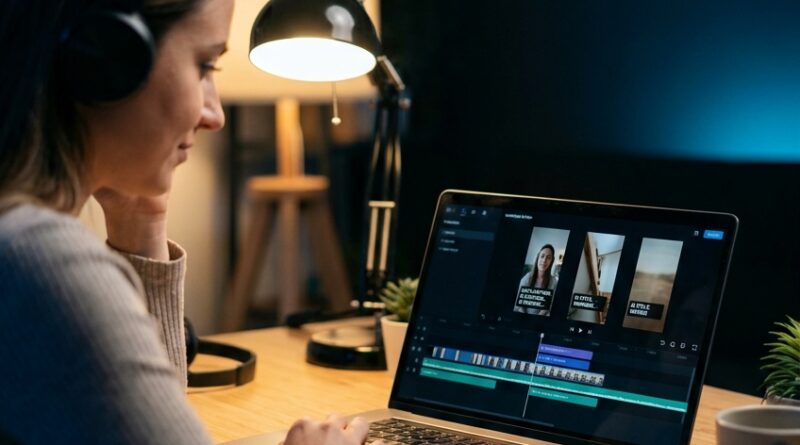
The ‘One-App Live Edit’ Hack: Cut, Caption And Post Reels In 10 Minutes Using Meta’s New Edits App
You are not failing at Reels. Your workflow is. That is the bit most people miss. Filming 20 or 30 seconds of decent video is usually the easy part. Then the mess starts. You trim in one app, generate captions in another, export, re-upload to Instagram, spot a typo, go back, export again, and suddenly a quick post has eaten your whole evening. It is exhausting, and it is exactly why so many good clips never get published. The good news is Meta’s Edits app is starting to fix that. With newer tools like smarter insights, AI restyle looks, freeze-frame effects, and stronger in-app performance data, this meta edits app video editing hack for instagram reels is less about fancy tricks and more about getting your post out fast. If you want to cut, caption, polish and publish without bouncing between three or four apps, this is the setup worth learning.
⚡ In a Hurry? Key Takeaways
- Meta’s Edits app can now handle most Reel jobs in one place, including trimming, captions, visual tweaks, effects and performance tracking.
- Use a simple 10-minute workflow. Import clip, trim hard, add captions, apply one style tweak, check insights, then post.
- The real win is not more AI. It is less app-hopping, fewer exports, and a better chance you actually post consistently.
Why editing is where most Reels go to die
If you have ever thought, “I have the footage, I just can’t face the edit,” you are in very good company.
The old mobile workflow is a time thief. You cut in one app. You add text somewhere else. You check how it looks in Instagram. You notice the timing is off. Back you go. That constant switching is not just annoying. It creates decision fatigue. Every extra export and every extra app gives you one more chance to stall, overthink, or give up.
That is why the one-app approach matters. If the tool is good enough, you stop treating editing like a separate project and start treating it like the last 10 minutes of posting.
If this sounds familiar, it is worth also reading The ‘One-App Cut’ Hack: How Instagram’s New Edits Tool Can Replace Half Your Mobile Workflow, which gets into the wider idea of shrinking your mobile editing stack.
What Meta’s Edits app now does well
Meta is clearly trying to keep creators inside its own editing lane, and for many people that is not a bad thing.
1. Faster basic editing
You can handle the boring but important stuff quickly. Trim the clip. Cut dead air. Rearrange moments. Tighten pacing. For short-form video, that alone is half the battle.
2. Built-in captions
Captions are no longer optional. Lots of people watch with sound low or off, and captions help hold attention in the first few seconds. Doing them inside the same workflow saves a lot of friction. You should still proofread them, though. Auto-captions are better than they used to be, but they still get names, slang and product terms wrong.
3. AI restyle options
This is useful if you are trying to give a clip a slightly different mood without rebuilding the whole thing. The trick is not to overdo it. Most Reels do better when they feel clean and native, not heavily processed.
4. Freeze-frame tricks
Freeze frames can be a handy way to create emphasis. Pause on a reaction. Highlight a product. Hold a key visual for an extra beat while text lands on screen. It is a simple effect, but it helps with storytelling and retention.
5. Better performance insights
This is the part many creators will get the most value from. Fancy tools are fun. Data is useful. If Edits shows you where viewers drop off, which visual styles hold attention, or which cut keeps people watching longer, you can improve faster without guessing.
The 10-minute one-app workflow that actually works
You do not need a giant production system. You need a repeatable one. Here is a practical flow for using the meta edits app video editing hack for instagram reels.
Minute 1 to 2: Import and pick one goal
Before you touch any effect, decide what this Reel is supposed to do. Is it teaching one thing, showing a before-and-after, or making one point? If you skip this step, you will waste time polishing clips that do not have a clear point.
Minute 2 to 4: Cut harder than feels comfortable
Most Reels are too slow at the start. Remove throat-clearing. Remove the bit where you adjust the camera. Remove the extra half-second after each sentence. Short-form rewards speed.
A good rule is this. If a clip does not add information, emotion or proof, cut it.
Minute 4 to 6: Add captions and fix only the obvious errors
Get captions on screen quickly. Then correct names, numbers and any words that would make you look careless. Do not spend 20 minutes choosing between five caption styles. Pick one readable format and stick with it across your posts.
Minute 6 to 7: Use one visual extra, not five
This is where creators lose time. They test filters, transitions, animations and restyles until the post starts to feel like homework. Instead, add one enhancement. Maybe a freeze frame. Maybe a light restyle. Maybe a text pop. One is enough.
Minute 7 to 8: Check the cover and first second
Your cover matters, but the first second matters more. Ask yourself two things. Would I stop scrolling for this? Do I know what the Reel is about right away? If not, adjust the opening text or first shot.
Minute 8 to 10: Post, then watch the data later
Do not fall into the trap of editing forever. Publish. Then come back to the performance insights and look for patterns. Which opening got more hold? Which caption style was easier to follow? Which freeze-frame moment helped the point land?
What to stop doing if you want to post more often
Sometimes the best hack is subtraction.
Stop exporting for no reason
Every export creates delay and often lowers quality if you are not careful. If the app can handle the next step, stay there.
Stop treating every Reel like a mini film
Most creators do not need cinema. They need clarity. A clean, direct Reel posted today beats a perfect Reel still sitting in drafts on Friday.
Stop using data only to judge yourself
Insights are not there to make you feel bad. They are there to help you spot what worked. If viewers dropped off at second three, that is not a personal insult. It is editing feedback.
Where the one-app approach helps most
This setup is especially useful for solo creators, small business owners, coaches, service pros, and anyone posting frequently without a full content team.
If your real problem is time, the one-app method helps. If your real problem is perfectionism, it helps there too. A smaller toolset creates fewer chances to fuss.
It also keeps you closer to Instagram’s own editing stack, which matters more than many people admit. When the platform gives you native tools and native insights, it is often worth learning them before piling on outside apps.
What Edits still will not magically fix
Let’s keep this realistic.
No app can save a Reel with no clear hook, no point, and no payoff. And no amount of AI restyle can replace good lighting, clean audio, or a useful idea. Edits can speed up production. It cannot invent substance for you.
Also, if you do advanced client work or heavy brand editing, you may still want desktop tools or specialist apps. But for everyday Instagram output, especially quick Reels, this is becoming a much stronger all-in-one option.
How to use the analytics without getting lost in them
This is where people can either get smarter or get overwhelmed.
Look for retention clues
Did people stay through the first few seconds? If not, your opening probably needs to be clearer or faster.
Compare formats, not just views
Maybe one style got fewer views but better watch time. That can be more useful than a random spike.
Keep one small test running
Try changing just one thing per Reel. Hook style. Caption layout. Freeze frame use. Cover wording. If you change everything at once, you will not know what helped.
At a Glance: Comparison
| Feature/Aspect | Details | Verdict |
|---|---|---|
| One-app workflow | Trim, caption, add light effects, review performance, and post from a Meta-friendly flow instead of bouncing between multiple apps. | Best for speed and consistency. |
| AI restyle and freeze-frame tools | Helpful for quick visual polish and emphasis, but they work best when used lightly. | Nice extras, not the main reason to use the app. |
| In-app analytics | Shows which moments, cuts and styles are holding attention so you can improve future Reels with less guesswork. | Most valuable feature for creators who want to grow without burning out. |
Conclusion
The big lesson here is simple. You do not need more tools. You need fewer steps. Right now every creator is drowning in AI tools, but the real bottleneck is decision fatigue and app-hopping. Meta has added enough to Edits, including smarter analytics, AI restyle options, freeze-frame tricks and better performance insights, that many people can now handle almost the whole Reel process in one place. That means less exporting, less second-guessing, and more actual posting. If you can turn editing from a two-hour chore into a 10-minute routine, you give yourself something much more useful than another app. You give yourself consistency. And on Instagram, consistency is often what separates the people who grow from the people who stay stuck in drafts.