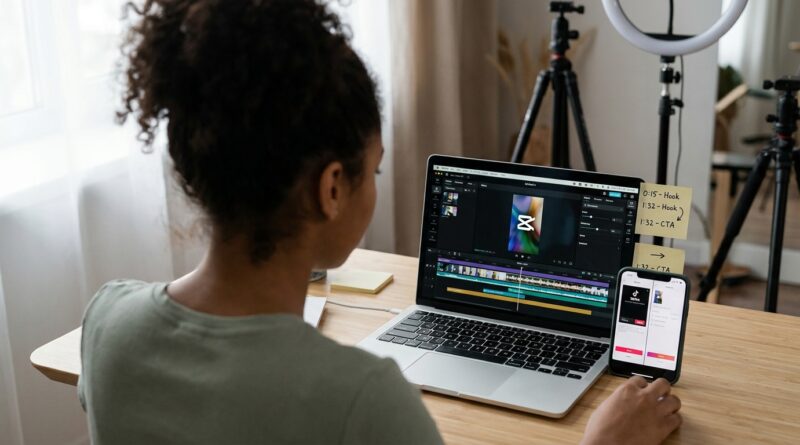
The ‘Native-Plus Edit’ Hack: Blend TikTok’s Built‑In Tools With CapCut Or Edits For Faster, Better‑Performing Reels
You are not imagining it. A full CapCut export can look perfect on your phone, then turn soft, laggy or oddly flat once it hits TikTok or Reels. But if you try to do every cut, caption and timing tweak inside the native app, the whole process can feel sticky, slow and weirdly fragile. One app crashes. Another drops your text timing. Then you spend more time fighting the editor than posting.
The fix is not picking one side. It is using a native-plus edit. That means you do the heavy lifting in CapCut, desktop CapCut or Meta’s Edits app, then finish the post natively inside TikTok, Instagram or YouTube Shorts. This hybrid setup is quickly becoming the best video editing workflow for tiktok and reels 2026 because it protects quality, saves time and still gives the platform the final signals it seems to prefer. It is simple, repeatable and a lot less stressful than rebuilding every video from scratch in-app.
⚡ In a Hurry? Key Takeaways
- Use third-party apps for rough cuts, pacing, cleanup and templates, then add final text, stickers, audio and posting details inside the platform.
- Export a clean master with no burned-in platform UI, keep headroom for captions, and do your last 10 to 15 percent natively.
- This workflow will not magically beat the algorithm, but it can reduce compression issues, cut editing time and make uploads more reliable.
Why creators are suddenly talking about this again
Over the last day, more creators have been saying the same thing. Native editors are glitchy. Third-party edits can underperform, upload strangely or lose quality. That leaves you in a dumb spot.
You either edit fast in a real editor and worry about performance, or you edit slowly in the platform and hope the app does not trip over itself.
That is why the native-plus method matters. It is not a conspiracy theory workflow. It is just practical. You let the stronger editor handle the hard stuff, then let the platform handle the final layer it cares about most.
What “native-plus” actually means
Think of your edit in two parts.
Part one: The foundation edit
Do this in CapCut, desktop CapCut, Meta Edits, Premiere, Final Cut or whatever you like best. This is where you:
- trim dead air
- pick the best takes
- clean audio
- add zooms and punch-ins
- remove filler words
- build the story
- create a clean visual rhythm
Part two: The native finish
Do this inside TikTok, Reels or Shorts. This is where you:
- add platform-native captions or text
- place stickers, polls or interactive bits
- choose cover frames
- add music from the platform library
- fine-tune timing for on-screen hooks
- post with native metadata, tags and settings
That split is the whole trick.
The simple workflow I would recommend to most creators
Step 1: Edit the story outside the app
Start in CapCut or Edits and make the video good. Not “social media good.” Just good. Tight pacing, clean cuts, readable framing, clear audio.
Do not overdecorate it yet. Avoid platform-specific stickers, trending sounds and giant burned-in captions at this stage unless they are part of the creative concept.
Step 2: Export a clean master
Export a high-quality vertical file, usually 1080×1920 at the same frame rate you shot in. Keep compression reasonable. If your source is 30 fps, do not randomly export 60 fps just because it sounds better.
Also leave safe space on screen. Keep important text and faces away from the bottom and edges, because platform buttons and captions can cover them.
Step 3: Upload that master into TikTok, Reels or Shorts
Now bring the clean file into the platform itself. This is where the “plus” part happens.
Step 4: Add native finishing touches
Add your final hook text, subtitles, music, title card timing, stickers, polls or platform effects here. Keep it light. You are not rebuilding the entire edit. You are giving the platform the final wrapper it likes to see.
If your content is talking-head heavy, this pairs nicely with The ‘Caption-First Edit’ Hack: Let AI Rewrite Your Cut From The Text Up, because you can tighten the spoken structure first, then use native-plus finishing for distribution.
Step 5: Save versions per platform
Do not assume one identical upload is best everywhere. TikTok text placement, Reels safe zones and Shorts timing can all differ a bit. Make tiny native changes per app, even if the base video is the same.
Why this tends to work better
It saves your editing energy
Native editors are fine for small changes. They are not where most people do their best cutting. If you are trying to build a polished 45-second reel with lots of trims, retakes and pacing changes, a full editor still wins.
It reduces upload weirdness
A clean master file usually behaves better than a heavily processed export with every effect baked in. Once you stack third-party captions, filters, sound and extra compression, some platforms can mangle the result.
It matches how platforms want content packaged
No, there is no public rule saying “native gets a boost.” But platforms clearly like content that uses their music, text tools, cover settings and engagement features. At minimum, this can help your post feel more native to the app instead of like a foreign object dropped in from somewhere else.
What to do in CapCut or Edits, and what to save for native apps
Best handled outside the platform
- multi-clip assembly
- silence removal
- audio cleanup
- background removal
- B-roll layering
- template-based structure
- AI reframing and basic polish
Best handled inside the platform
- final captions if you want native styling
- music from TikTok or Instagram libraries
- cover image selection
- location tags, topics and interactive elements
- last-second text tweaks based on trends
Common mistakes that break this workflow
Burning in too much text too early
If your exported video already has giant subtitles, title cards and stickers all over it, you lose flexibility. Native text works best when you still have room to place it cleanly.
Overcompressing before upload
If you export a tiny file to “help” the app upload faster, you can end up double-compressing it. That is one of the fastest ways to get mushy video.
Ignoring safe zones
The bottom of your video is crowded territory. Captions, buttons and descriptions live there. Keep your important visuals a little higher than you think.
Trying to make one perfect universal file
This is where a lot of creators lose time and results. Your base file can be the same. Your final native packaging should not always be identical.
My practical rule of thumb
Do 85 to 90 percent of the edit in the tool that makes you fastest. Do the last 10 to 15 percent in the app where you are posting.
That usually gives you the best balance of speed, control and platform fit. It also means if TikTok’s text editor acts up, you are only fixing the final layer, not rebuilding the whole video from zero.
Who should use this workflow right now
This is especially useful if you are:
- posting to TikTok and Reels from the same source video
- using AI clip tools but still wanting native polish
- making talking-head content with lots of cuts
- running a brand account that needs consistent output
- tired of losing an hour to buggy in-app editing
At a Glance: Comparison
| Feature/Aspect | Details | Verdict |
|---|---|---|
| Full native editing | Good for quick posts, native features and music, but often slower for serious trimming and more prone to glitches. | Best for light finishing, not full production. |
| Full third-party editing | Fast and powerful for real editing, but can run into compression, formatting or “foreign” feeling uploads if everything is baked in. | Best for building the core video, not always best for final packaging. |
| Native-plus hybrid workflow | Edit the story outside the app, then add native captions, music, cover and final tweaks inside TikTok, Reels or Shorts. | Best all-around option for speed, quality and platform fit in 2026. |
Conclusion
You do not need to choose between a buggy native editor and a fully external workflow that sometimes feels punished on upload. The middle path is usually the smarter one. More creators are bumping into this exact problem right now as CapCut, desktop tools, Meta’s Edits app and AI clip generators get better, while native apps still feel inconsistent. A simple native-plus workflow gives you something better than theory. It gives you a repeatable system you can use on your very next post. You protect quality, cut editing time and work with the way TikTok, Instagram and YouTube actually want content published in 2026. For creators trying to post more without feeling punished by the algorithm, that is not a gimmick. It is a very useful habit.