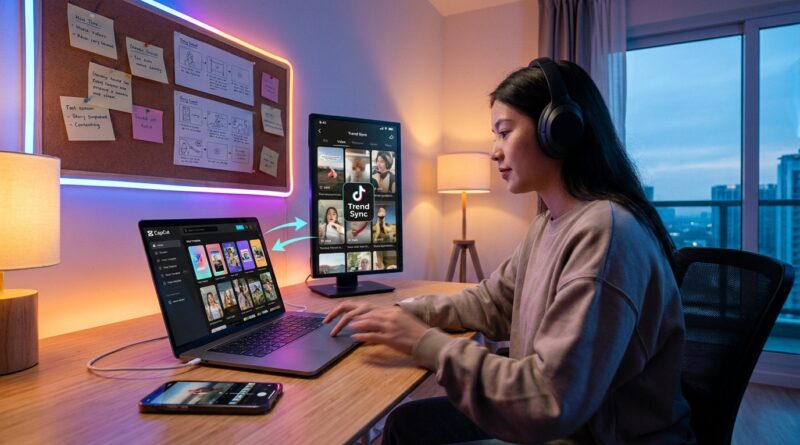
The ‘Two-Tap Trend Sync’ Hack: Steal TikTok’s Hottest CapCut Templates Before Everyone Else
You are not lazy if you are tired of missing trends. You are probably just stuck doing things the slow way. A format starts popping on TikTok, you save three videos for “inspo,” try to rebuild the cut by hand in CapCut, and by the time you post, the wave has already moved on. Meanwhile, bigger creators seem to ship trend-ready reels before you have even picked a font. That is where the capcut trending templates hack for tiktok and reels comes in. The simple version is this. Stop guessing what edit style is about to hit. Start checking CapCut’s trending template section, then cross-check it with TikTok sounds and save two likely winners fast. It is basically a shortcut into the formats people are already watching on repeat. You are not copying blindly. You are using a live signal from the same ecosystem that is feeding the trend in the first place.
⚡ In a Hurry? Key Takeaways
- CapCut’s trending templates often mirror the formats and sounds already taking off on TikTok, so they can help you spot a style early.
- Use a two-tap routine. Save a trending template, then check the linked sound or format on TikTok before filming or dropping in your clips.
- Templates save time, but always swap in your own footage, hook text, and ending so your post feels fresh and not like a carbon copy.
What the “Two-Tap Trend Sync” hack actually is
This is not some secret menu trick. It is just a smart workflow.
Tap one is inside CapCut. You open the Templates area and look at what is rising, not just what is already everywhere. Tap two is inside TikTok. You check whether that style, pacing, or sound is showing up across multiple creators and niches.
If both apps are pointing in the same direction, you have a strong clue. That format is getting traction.
This matters because CapCut and TikTok live in the same orbit. When a certain sound structure, text rhythm, transition style, or photo-dump pacing starts getting heavy use, CapCut’s template library often reflects it quickly. Not because magic is happening. Because user behavior is.
Why this works better than copying random creators
Copying one successful video is risky. You may be chasing a post that peaked three days ago. You also do not know whether the edit style helped, or if that creator would have gotten views anyway.
Templates give you a wider signal.
If a style is surfacing in CapCut’s trending section, it usually means a lot of people are already using that structure. Then if you jump to TikTok and see the same sound or rhythm spreading, you are no longer guessing based on one viral clip. You are seeing a pattern.
That is a huge difference.
You stop building from scratch. You stop wasting an hour fiddling with text timing. You start testing proven formats quickly.
How to do the hack in under 10 minutes
Step 1: Open CapCut Templates, not the blank editor
This is where most people lose time. They open a new project and start trimming clips with no clear format in mind.
Instead, go straight to Templates. Look for signs of momentum:
- Repeated use of the same sound style
- Similar caption placement
- Fast photo swaps or beat-based cuts
- Hooks that land in the first one to two seconds
You are not hunting for “the perfect template.” You are looking for patterns.
Step 2: Save two or three candidates
Do not overthink this. Pick a few that fit your content type.
If you post products, save templates with tight showcase cuts. If you post commentary, save talking-head formats with strong auto-caption placement. If you post lifestyle or travel, look for photo and b-roll templates with quick emotional pacing.
Your goal is volume with some judgment. Not perfection.
Step 3: Jump to TikTok and verify the signal
Now do the second tap.
Check whether the same sound, visual rhythm, or storytelling pattern is active on TikTok. You are looking for signs that it is spreading beyond one niche. If three very different creators are using the same pacing and hook format, pay attention.
If the sound is heating up and the template style matches, you have your green light.
Step 4: Swap in your own clips fast
This is where the time savings kick in. Drop in your footage, keep the pacing mostly intact, and rewrite the opening text so it fits your audience.
Do not mess with every little thing.
The whole point is to ride the format while it is warm. Keep your energy for the first line, the thumbnail frame, and the final call to action.
Step 5: Export variations
Make two versions if possible. Change the hook text, reorder one clip, or test a different ending line.
That one small move can turn one idea into multiple posts. If you want to speed up the rest of your workflow too, the guide The ‘Native Edit Stack’ Hack: Use Built‑In Tools To Make Reels And Shorts Look Pro In Half The Time pairs well with this approach because it cuts down the app-hopping that eats up your night.
What to look for inside a good trending template
Not every “trending” label is worth chasing. Some are already overcooked. Here is what usually makes one useful.
Strong first-second hook space
If the template leaves room for bold text right away, that is a good sign. Short-form lives or dies in the opening moment.
Simple, repeatable pacing
You want cuts that feel snappy but easy to reuse. If a template needs 27 perfectly timed clips to work, it is probably too fragile for daily posting.
Caption layout that survives reposting
If you plan to post to Reels and Shorts too, make sure the text does not sit too low or too close to the edges. Platform buttons love to cover important words.
Emotionally familiar structure
The best templates often feel oddly familiar. Reveal. Reaction. Before-and-after. List. Mini transformation. That is not a bad thing. Familiar structures help people keep watching.
How to use this for Reels, not just TikTok
Yes, this starts with TikTok signals. But it absolutely helps with Instagram Reels too.
Reels often trails TikTok trends just enough that early format adoption can still work in your favor. If you catch a CapCut template while the style is hot on TikTok, you may be early enough to look fresh on Instagram.
That is where this hack becomes useful beyond one app. You are using TikTok as the early weather report, and CapCut as the fast production tool.
Then you publish where your audience actually is.
Common mistakes that make template posts flop
Leaving the default text
This is the fastest way to look generic. Rewrite the hook in your own voice.
Forcing a trend that does not fit your niche
A dramatic breakup-style photo template may be trending, but that does not mean it makes sense for your cooking channel or local business page.
Using stale footage
Even a hot format can feel dead if the clips are weak. Good pacing cannot save boring visuals every time.
Posting too late
This is the biggest one. If you spend two days “perfecting” a template post, you kill the advantage. Trend content rewards speed.
Who gets the most value from this hack
This works especially well for:
- Solo creators who do not have an editor
- Small brands trying to post daily
- Affiliate creators testing product angles
- Coaches, educators, and service businesses that need fast talking-head edits
- Anyone who keeps staring at a blank timeline and losing momentum
If that sounds like you, this method is less about “cheating” and more about getting out of your own way.
At a Glance: Comparison
| Feature/Aspect | Details | Verdict |
|---|---|---|
| Trend discovery speed | CapCut templates can surface active edit styles fast, especially when you verify them against TikTok sounds and posts. | Excellent for spotting likely winners early. |
| Editing time saved | You skip the blank timeline and start with built-in pacing, transitions, and text placement. | Big time saver for daily posting. |
| Originality risk | If you keep the template too untouched, your post can feel generic or late. | Use the structure, but change the hook, clips, and payoff. |
Conclusion
If you have been losing hours trying to predict the next big edit style, this is a much saner way to work. CapCut’s trending template library is synced directly to TikTok’s most used formats and sounds, which means it quietly surfaces what viewers are already binging before most “how to edit” tutorials even exist. While everyone else is doom-scrolling for inspiration or stuck in longform edits, this workflow lets social media creators test two or three trend-aligned cuts per day, using proven pacing, transitions and caption layouts without starting from a blank timeline. That is a huge edge in 2026, when short-form reach is brutally competitive and early movers on a format can pick up thousands of extra views simply by shipping the right style at the right moment.