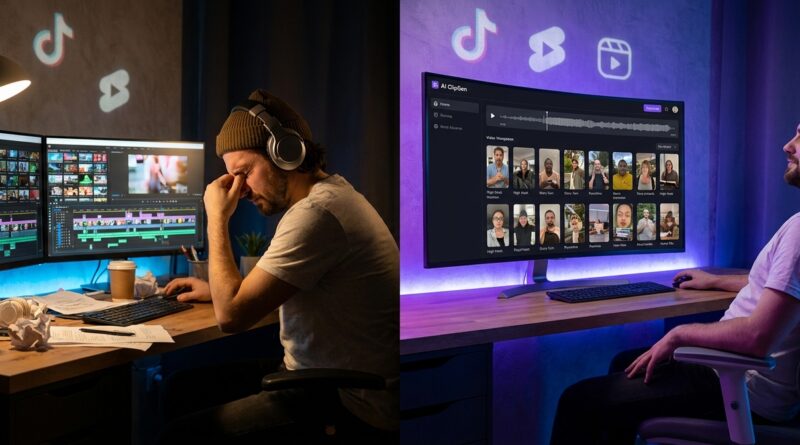
The ‘AI Clip Hunter’ Hack: Turn One Long Video Into A Week Of Reels In 15 Minutes
You record the podcast, finish the webinar, or wrap up the livestream feeling productive. Then comes the part nobody enjoys. You have to scrub through 45 minutes, 60 minutes, sometimes two hours of footage hunting for three short moments that might work on TikTok or Reels. It is slow, boring, and weirdly draining. That is why so many creators either never repurpose their long videos, or they post whatever random clip they can find and hope for the best.
The good news is that an ai clip tool for turning long videos into tiktok and reels is finally getting useful, not just flashy. The better tools can spot strong hooks, topic changes, emotional spikes, and quote-worthy moments without you watching the whole thing back. If you use them the right way, you can turn one long video into a week of short-form posts in about 15 minutes. The trick is not letting the tool fully drive. You still need a quick human pass to pick the clips that actually sound like you.
⚡ In a Hurry? Key Takeaways
- Yes, an ai clip tool for turning long videos into tiktok and reels can cut your repurposing time from hours to about 15 minutes if your source video has clear speech and strong talking points.
- Start by uploading one long video, ask the tool for 10 to 20 hook-based clips, then keep only the 5 to 7 that make sense without extra context.
- Do not post AI-picked clips blindly. Always check captions, framing, and whether the clip actually lands in the first 2 seconds.
Why this feels so painful in the first place
Most creators are not lazy. They are just stuck doing work that does not match the payoff.
Recording a podcast can be fun. Teaching a live workshop can be energizing. Editing tiny vertical clips from a huge timeline feels like filing taxes with your eyes.
The usual process is rough. You open the video editor. You drag through the waveform. You think, “Maybe there was a good bit around minute 17.” Then you waste 20 minutes checking if your memory was even right.
That is exactly where AI clipper tools have started to earn their keep. They can scan transcripts, identify moments where your tone changes, look for clean standalone statements, and suggest clips that already fit short-form platforms.
What the “AI Clip Hunter” hack actually is
The hack is simple. Instead of manually hunting for your best moments, you let an AI tool create a shortlist first. Then you act like an editor, not a miner digging through rock.
Here is the basic workflow:
Step 1: Upload one long video
This can be a podcast, webinar, livestream replay, interview, tutorial, or talking-head YouTube video.
Step 2: Generate a transcript and clip suggestions
The tool scans for likely hooks, topic changes, bold statements, emotional moments, and compact explanations.
Step 3: Ask for platform-ready vertical outputs
You want 9:16 framing, burned-in captions, and clips in the 20 to 60 second range.
Step 4: Review only the shortlist
Instead of checking 60 minutes of footage, you review 10 to 20 suggested clips. This is the real time saver.
Step 5: Keep the best 5 to 7 clips
Trim the start, sharpen the caption text, and swap the thumbnail frame if needed.
That is how you turn one long video into a week of content fast, without pretending every clip is equally good.
What today’s better AI clip tools can actually spot
Not all tools are smart. Some just cut at random subtitle breaks and call it “viral detection.” Skip those.
The more useful tools look for patterns like:
- Strong opening lines
- Direct answers to common questions
- Moments where the speaker gets more animated
- Clean opinion statements
- Story beats with a setup and payoff
- Topic shifts that create a fresh start point
That matters because a good short clip usually needs to work on its own. If the viewer needs the previous five minutes for context, it probably will not survive on Reels.
The 15-minute workflow that works for solo creators
If you want speed, do not overcomplicate this. Use one repeatable process every time.
Minute 1 to 3: Upload and auto-transcribe
Choose your long-form source and send it to the clip tool. If the audio is muddy, fix that first. Bad audio gives you bad clip picks.
Minute 4 to 6: Generate multiple clip types
Do not ask for just “best clips.” Ask for different angles:
- Best hooks
- Best contrarian opinions
- Best educational moments
- Best quick tips
- Best story moments
This gets you a better mix. It also stops your feed from feeling repetitive.
Minute 7 to 10: Review the shortlist fast
Watch each suggested clip at 1.25x speed. You are not judging perfection. You are asking three simple questions:
- Does it make sense without extra setup?
- Is the first sentence strong enough to stop a scroll?
- Would I actually share this if it came from someone else?
Minute 11 to 13: Clean up the winners
Fix captions. Make sure names, jargon, and product terms are spelled right. Reframe the face or speaker if auto-crop looks goofy. Trim dead air from the start.
Minute 14 to 15: Export in a batch
Save all winners at once. Name them clearly, like “podcast-ep12-clip1-hook” instead of “final_final_v2.” Your future self will thank you.
How to tell if a suggested clip is actually good
This is where a lot of people go wrong. The tool can find a moment that is interesting inside the full video but weak as a standalone post.
A strong short-form clip usually has at least two of these:
- A first line that creates curiosity
- A clean answer to one problem
- A surprising claim
- A clear emotional tone
- A natural stopping point
A weak one often starts with throat-clearing. Things like “So yeah, basically what happened was…” are death on short-form.
If needed, cut the first two seconds aggressively. Most clips improve when you get to the point faster.
What kinds of long videos work best
AI clipping works best when the original video has strong spoken content. Think:
- Podcasts with clear audio
- Interviews with opinionated answers
- Webinars with practical tips
- Livestreams with Q&A sections
- Tutorials where each section solves one small problem
It works less well when the source depends heavily on visuals, fast jump cuts, or inside jokes. A gaming montage or heavily edited cinematic vlog may still need a human editor.
The mistakes that make AI-clipped reels flop
AI can save time. It cannot save weak material.
Posting clips with no real hook
If the first line does not pull people in, they are gone. “Here are three mistakes most founders make with pricing” is better than “Today I want to talk about pricing.”
Leaving in too much setup
Short-form viewers do not owe you patience. Cut hard.
Trusting auto-captions too much
Auto-captions are better than they used to be, but still mess up names, slang, and technical words. One wrong caption can make you look careless.
Using every clip the tool suggests
Quantity helps only if the clips are decent. Seven solid clips beat 20 filler posts every time.
Ignoring platform differences
A clip that works on TikTok may need a punchier caption for Instagram Reels. You can reuse the same video, but tweak the packaging.
Which features matter most when picking a tool
If you are shopping around, do not get distracted by shiny dashboards. Look for boring but useful things.
- Accurate transcription
- Good speaker detection
- Smart auto-crop for vertical framing
- Editable captions
- Clip scoring or hook ranking
- Fast export
- Simple brand templates
The best ai clip tool for turning long videos into tiktok and reels is not always the one with the biggest promise. It is the one that gets you from upload to usable exports with the fewest annoying fixes.
A simple posting plan once your clips are ready
Do not let your clips sit in a folder for three weeks. That happens a lot.
Try this easy rhythm:
- Monday: strongest hot take
- Tuesday: practical tip
- Wednesday: story or lesson
- Thursday: contrarian opinion
- Friday: FAQ answer
- Weekend: best-performing extra clip or remix
This gives you variety without needing brand new recordings every day.
Why this matters more in 2026 than it did a few years ago
There is more long-form content than ever. Podcasts are everywhere. Webinars are everywhere. Streams are everywhere. The bottleneck is no longer making content. It is repackaging it fast enough to stay visible.
That is why these tools matter now. They help small creators and tiny teams compete with people who have editors on payroll. You still need taste. You still need a point of view. But you no longer need to spend your whole evening dragging a playhead across a timeline.
At a Glance: Comparison
| Feature/Aspect | Details | Verdict |
|---|---|---|
| Speed | AI can scan a full podcast or webinar and produce a shortlist of short clips in minutes. | Excellent for solo creators who are short on time. |
| Clip Quality | Best results come from clear audio, strong speaking moments, and a quick human review before posting. | Good, but not fully hands-off. |
| Best Use Case | Repurposing podcasts, interviews, webinars, tutorials, and livestreams into vertical social clips. | One of the most practical AI uses for creators right now. |
Conclusion
If repurposing long videos has been sitting on your to-do list like a brick, this is one of the few AI shortcuts that can actually make your week easier. The creator economy in 2026 is packed with great long-form content that never gets chopped into the short clips people actually discover. That is the gap. New clipper tools are now good enough to find real hook moments based on speech patterns, topic shifts, and structures that tend to hold attention. You still need to make the final call, but you no longer need to burn hours digging for highlights. For a solo creator or small team, that means one stream, podcast, or webinar can become a bank of platform-ready clips in under 15 minutes. More posts. More testing. More chances to find the format that grows your channel instead of draining your time.