The ‘Template Tracker’ Hack: Turn Today’s Viral CapCut & Reels Edits Into Your Own Repeatable Style in 15 Minutes
You know the routine. You see a CapCut template or Reels edit blowing up, save it, promise yourself you will study it later, then never touch it again. A week later the trend is dead, your saves folder is a graveyard, and you are still opening a blank timeline every time you post. That is frustrating because you are not actually short on ideas. You are short on a system. The fix is not to chase every viral edit one by one. It is to turn the best ones into a simple tracker that shows you the structure underneath the trend. Once you do that, you stop copying surface-level effects and start building your own repeatable style. If you have been wondering how to use CapCut trending templates for Reels and TikTok without feeling like you are always late, this is the faster way. Give yourself 15 minutes a day, and start building formats you can reuse all month.
⚡ In a Hurry? Key Takeaways
- Do not save trends blindly. Break each CapCut template into a shot list, timing pattern, text style, and hook format you can reuse.
- Use a simple “Template Tracker” sheet with 5 to 7 columns so each viral edit becomes a repeatable content format, not just another link.
- Trends burn out fast, but structure lasts. Strip out the sound and niche details, then rebuild the pacing inside your own editing app.
The real goal is not copying a trend
Most creators think they need to keep up with trends. What they actually need is a better filing system.
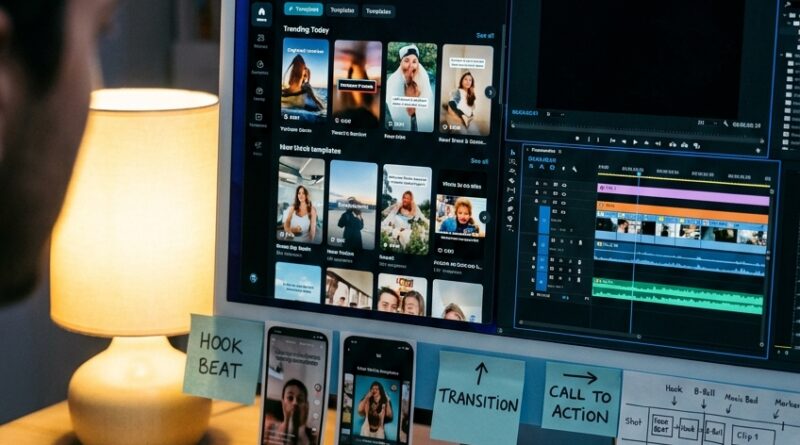
CapCut’s “Trending Today” and “Latest Trending Edits 2026” pages are useful, but only if you treat them like raw material. The trend itself is temporary. The editing pattern under it is the valuable part.
That pattern is usually pretty simple. Fast opener. Three to five short clips. A beat drop. One text payoff. Maybe a zoom, flash, blur, or velocity ramp. Once you can spot that skeleton, you can use it again and again.
What the “Template Tracker” actually is
Your Template Tracker can be a Notes app page, Google Sheet, Notion board, or even paper. It does not need to be fancy.
It just needs to force you to answer the same questions every time you see a trend worth saving.
Use these columns
- Template name or link
- Hook type. Surprise, reveal, transformation, list, flex, story, before-and-after
- Shot count. How many clips it uses
- Timing grid. Example: 0.5 sec, 0.5 sec, 1 sec, 1 sec, beat drop
- Text pattern. Where text appears and how much
- Camera/style notes. Selfie, overhead, B-roll, screenshots, zooms
- How I can re-skin this for my niche
That last column matters most. It turns “cool trend” into “I can shoot this tomorrow.”
Your 15-minute daily routine
This is the part that keeps you from falling back into endless scrolling.
Minutes 1 to 5: Find two strong templates
Open CapCut’s trending area, Reels, or TikTok. Do not collect 20 links. Pick two.
Look for edits that are getting reused a lot. Good signs include:
- The same timing pattern across different niches
- A template that works with product shots, talking clips, or simple B-roll
- An edit that is easy to understand without fancy filming
If the trend only works for one hyper-specific joke, skip it. You want portable formats.
Minutes 6 to 10: Reverse engineer the structure
Watch the edit three times.
First watch, notice the feeling. Is it punchy, dramatic, clean, chaotic, aspirational?
Second watch, count the clips. Pause if needed. Write down the sequence.
Third watch, track the text and transitions. Ask yourself what is doing the real work. Usually it is not the effect. It is the pacing.
Your notes might look like this:
- Clip 1: close-up hook, 0.7 sec
- Clip 2: process shot, 0.5 sec
- Clip 3: result preview, 0.5 sec
- Clip 4: wider reveal on beat drop, 1.2 sec
- Text: one headline at start, one payoff line at reveal
Minutes 11 to 15: Rebuild it as your own house style
Now strip out the trend-specific details.
Remove the exact song. Remove the niche-specific joke. Remove the original clips. Keep the frame.
Then rename it in plain English. Something like:
- 3-shot dramatic reveal
- Quick problem-to-payoff edit
- List intro with beat-drop result
- Fast B-roll stack with final flex shot
That name makes it reusable. You are building a menu for your future self.
How to use CapCut trending templates for Reels and TikTok without looking like everyone else
This is where a lot of people get stuck. They use the template exactly as-is, then wonder why the post feels generic.
The better move is to keep only four parts:
- Pacing
- Shot order
- Text placement
- Energy curve
Everything else can change.
If you are in food content, a fashion trend can still become a recipe format. If you are in business content, a travel edit can become a client result reveal. The template is just a container.
A simple example
Say a viral edit uses:
- One confused face clip
- Two fast detail shots
- One cinematic reveal
- Text that says “I didn’t expect this”
You could turn that into:
- A skincare before-and-after
- A desk setup reveal
- A sales dashboard result
- A meal prep transformation
Same structure. Different skin.
Build 3 core house styles, not 30 random saves
If you want editing to get faster every week, start small.
Pick just three repeatable formats from the trends you study.
1. The hook-and-reveal format
Best for transformations, product reveals, before-and-after posts, and results.
2. The fast list format
Best for tips, “3 things I learned,” mistakes, tools, or mini tutorials.
3. The proof format
Best for testimonials, process clips, screen recordings, and credibility posts.
Once you have those three, you are no longer starting from scratch. You are choosing from a shelf.
Rebuild the trend inside your own editing setup
You do not have to stay locked inside CapCut templates forever.
In fact, you probably should not. Templates are great for spotting patterns, but rebuilding the best ones in your own editor gives you more control over branding, quality, and speed.
If you like mixing native platform tools with outside editing, read The ‘Native-Plus Edit’ Hack: Blend TikTok’s Built‑In Tools With CapCut Or Edits For Faster, Better‑Performing Reels. It is a smart next step once you start saving your own timing grids and shot formulas.
What to save as reusable assets
- Your favorite text styles
- Three intro timing presets
- Two beat-drop cut patterns
- One caption layout for talking clips
- A folder of go-to sounds and voiceover slots
This is how trends turn into a system.
The mistakes that waste the most time
Saving links without notes
If you do not write down why a template works, you will forget. Fast.
Focusing too much on effects
Blur, flash, shake, and zoom are rarely the main reason a post works. Usually it is clip order and timing.
Trying to use every trend
You do not need all of them. You need the few that fit your content and can be repeated.
Keeping trends in platform silos
A TikTok trend can become a Reel format. A CapCut template can become an in-app edit. Think structure first.
A quick scoring method for deciding what to keep
When you find a trend, score it from 1 to 5 on these three points:
- Easy to shoot
- Easy to repeat
- Fits my niche
If it scores low on two of the three, do not save it. Move on.
This one habit keeps your tracker useful instead of bloated.
What your tracker turns into after a month
After a few weeks, you will notice something nice. Your tracker stops being a trend log and starts becoming a style guide.
You will know things like:
- Your audience responds best to 4-shot reveals
- Your best posts use text only in the first second and final second
- Your easiest wins come from process clips, not talking-head edits
- Your niche works better with clean cuts than flashy transitions
That is valuable. It means trends are teaching you what your own content wants to be.
At a Glance: Comparison
| Feature/Aspect | Details | Verdict |
|---|---|---|
| Saving random templates | Gives you inspiration, but no clear plan for what to shoot or edit later | Easy in the moment, weak long term |
| Using a Template Tracker | Turns trends into shot lists, timing grids, and reusable formats for your niche | Best for speed and consistency |
| Rebuilding templates in your own editor | Takes a little more setup, but gives you more control over quality, branding, and repeat use | Best if you want a real house style |
Conclusion
You do not need to become a trend hunter with superhuman reflexes. You just need to stop treating every viral CapCut edit like a one-time event. The fastest growing short-form creators are not finding some magical editor and calling it a day. They are systemizing what is hot right now into a small set of repeatable formats they can shoot and cut on autopilot. That is the opportunity hiding inside CapCut’s “Trending Today” and “Latest Trending Edits 2026” sections. Those templates are short-lived, which is exactly why they are useful. Strip them down to their timing, shot order, and payoff structure, then rebuild them in a way that fits your niche and editing setup. Do that for 15 minutes a day, and before long you will have a stack of house styles that make posting faster, easier, and much less stressful. No more blank timelines. No more giant pile of saved links. Just formats that work.