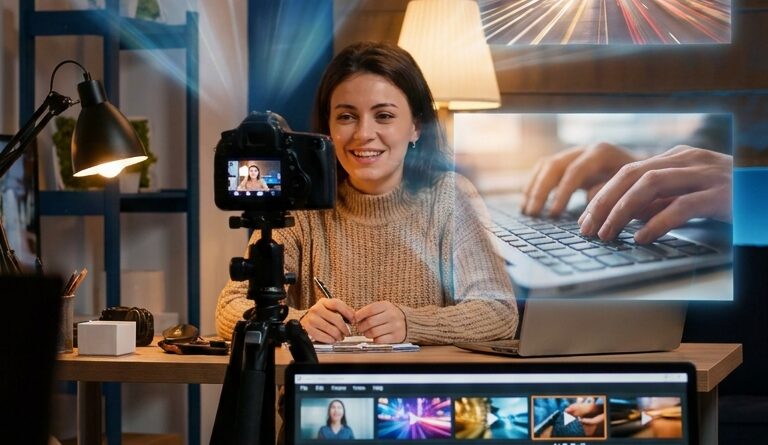
The ‘Prompt Your B‑Roll’ Hack: Turn One Static Shot Into Scroll‑Stopping Reels In Minutes
You know this pain. You finally record a solid talking-head clip, your delivery is good, your hook lands, and then you open your editor and realize the whole thing is just your face for 45 seconds. No cutaways. No close-ups. No product shots. No extra angles. At that point, most creators do one of two things. They either post it anyway and hope captions carry the whole reel, or they lose the next two hours hunting for stock footage that sort of fits but never quite feels like their story. That is where the “prompt your b-roll” hack comes in. Instead of reshooting, you use AI video tools to create quick visual inserts based on what you are saying in the clip. Done right, this ai b roll video editing hack for reels and tiktok makes one static shot feel faster, richer, and far more watchable without adding another shoot day to your week.
⚡ In a Hurry? Key Takeaways
- Yes, you can turn one talking-head clip into a more dynamic Reel by generating short AI b-roll inserts that match key lines in your script.
- Start by pulling 3 to 5 moments from your video that need visual support, then write simple prompts for each instead of trying to cover every sentence.
- Use AI b-roll to support your story, not fake real events. Keep it clearly illustrative when accuracy matters.
What “prompt your b-roll” actually means
This is simpler than it sounds.
You take your finished talking-head video and look for moments where the viewer would benefit from seeing something, anything, besides your face. Then you create short AI-generated video clips to drop on top of those lines as b-roll.
Think of it like visual punctuation. You are not making a Hollywood short film. You are just giving the eye a break and helping the brain follow the point.
For example, if you say, “Most creators waste hours searching for the right stock clip,” you could generate a fast insert of a frustrated person scrolling through footage bins, or a laptop timeline packed with messy assets.
If you say, “Then I switched to a faster workflow,” you might cut to a clean editor timeline, a hand dropping clips into place, or a phone showing a polished final reel.
Why this works so well on Reels, Shorts, and TikTok
Short-form platforms reward movement. Not fake chaos, but steady visual change.
If the frame never changes, people drift. Even if your message is good.
That is why this ai b roll video editing hack for reels and tiktok matters right now. Solo creators are being judged against teams that shoot multiple angles, custom inserts, and polished edits every day. Most people do not have that setup. They have a phone, a ring light, and a short window to record before life gets noisy again.
AI b-roll closes part of that gap. It gives you a way to add visual density without booking another shoot, cleaning your desk for the fifth time, or begging a friend to hold the camera.
The basic workflow that keeps this fast
1. Record the talking-head first
Do not start with prompts. Start with the main message.
Get your A-roll done. Trim it. Add captions if that is your style. Then watch the video once from the point of view of a distracted viewer.
Ask one question. “Where would I get bored or need proof?”
2. Mark only the lines that need support
This is where many people slow themselves down. They try to create b-roll for every line.
Do not do that.
Usually 3 to 5 inserts are enough for a 30 to 60 second reel. Pick the moments that do one of these jobs:
- Explain an abstract idea
- Show a result
- Create a pattern interrupt
- Make a key claim feel more concrete
3. Write prompts like a normal human
You do not need magical prompt language.
Good prompts are usually clear, visual, and specific. Mention the subject, action, setting, framing, and mood.
For example:
- “Vertical video of a creator editing on a laptop late at night, fast-paced, phone beside keyboard, moody desk lighting”
- “Close-up of smartphone screen scrolling through short-form videos, bright app-like interface, quick finger movement, vertical framing”
- “Messy video editing timeline with lots of clips, zoomed-in screen recording style, high energy”
You are not writing poetry. You are ordering visuals.
4. Generate short clips, not long scenes
A lot of creators waste time generating 10-second clips when they only need 1.5 to 3 seconds.
Keep these inserts short. Shorter clips are easier to place, easier to hide flaws in, and often feel more natural in fast social edits.
5. Drop them over the exact line they support
Place the AI clip directly over the sentence it illustrates. That is the whole trick.
If it is too literal, trim it. If it feels random, replace it. If it steals attention from what you are saying, it is doing too much.
How to write better prompts without overthinking it
Here is the easiest formula I have found:
Subject + action + setting + camera angle + style
Example: “Young creator speaking to camera in small home studio, adjusting tripod, medium shot, clean natural lighting, vertical video.”
That gives the tool enough to work with. If needed, add one extra line about mood or pace.
Useful prompt types for creator content
- Workflow shots: editing, typing, planning, filming, posting
- Device shots: phones, laptops, timelines, camera screens
- Result shots: polished final reel, comments, growth graph, finished export
- Mood shots: stress, relief, speed, creative momentum
What to avoid
- Prompts that are too vague, like “content creation success”
- Prompts with five different actions in one sentence
- Hyper-detailed prompts for a clip that will be on screen for two seconds
Where this hack shines most
This works especially well for advice videos, tutorials, commentary, marketing tips, productivity clips, and software demos.
In other words, any video where the value is in what you are saying, but the visuals still need some movement.
It is also a great fix for older footage. If you have a library of solid talking-head clips that felt too plain to post, AI b-roll can give them a second life.
And if you already use repeatable editing systems, pair this with The ‘Three-Template Vault’ Hack: Pre‑Build Your Viral Reel Layouts And Edit In 5 Minutes. Templates handle the structure. AI b-roll handles the visual freshness. Together, they cut a shocking amount of time off your weekly editing.
What makes AI b-roll look believable instead of cheap
Match the energy of the clip
If your talking-head is calm and direct, wildly cinematic b-roll can feel out of place.
Try to match pace, lighting, and tone. The insert should feel like part of the same story, even if viewers know it is illustrative.
Use fast cuts to your advantage
Most AI video flaws become less obvious when the shot is short and purposeful.
A two-second insert with motion and clean timing often works better than a long lingering AI shot.
Cover transitions with captions or zooms
If a generated clip is not perfect, hide the join with a punch-in, subtitle animation, sound effect, or quick text callout.
This is social video, not forensic video review. Momentum matters more than perfection.
Important reality check: do not use fake visuals where truth matters
This is the part worth slowing down for.
AI b-roll is great for illustrative footage. It is not a free pass to fake evidence, fabricate results, or make viewers think a generated scene is real documentation.
If you are talking about earnings, client results, breaking news, health claims, or anything sensitive, be careful. Use screen recordings, real screenshots, real demonstrations, or clearly stylized inserts instead.
The safest rule is simple. If the clip is there to create mood or explain a concept, AI is usually fine. If the clip could be mistaken for proof, use something real.
A simple example you can copy today
Let us say your reel script goes like this:
“I used to film one talking-head take, then spend forever looking for stock. Now I generate custom inserts for the exact lines that need them, and my edits are way faster.”
Your b-roll plan could be:
- Line 1: “film one talking-head take”
- Prompt: “Vertical shot of solo creator recording with phone tripod in bedroom studio, medium frame, natural light”
- Line 2: “spend forever looking for stock”
- Prompt: “Close-up of frustrated editor scrolling through endless stock footage thumbnails on laptop, quick motion, vertical framing”
- Line 3: “generate custom inserts”
- Prompt: “Clean abstract video generation interface producing short clips, modern creative software feel, bright screen glow”
- Line 4: “my edits are way faster”
- Prompt: “Fast hands dropping clips into mobile editing timeline, polished reel preview on phone screen, efficient workflow vibe”
That is enough to make the whole piece feel built, not merely recorded.
Tools matter less than the workflow
Creators often ask which AI video generator is best.
Fair question. But the bigger win is the system, not the brand.
If your process is:
- Record A-roll
- Mark 3 to 5 visual moments
- Prompt short inserts
- Drop them over key lines
- Use captions and sound to tie it together
you can get useful results from several tools, and you will get faster each time you do it.
Common mistakes that make this slower than it should be
Trying to save a weak script with fancy visuals
B-roll helps. It does not rescue a muddled idea.
Generating too many options
Pick a prompt, get a usable shot, move on. Endless variations are where your time disappears.
Making every insert dramatic
Not every sentence needs fireworks. Some clips are just there to keep the eye moving.
Ignoring consistency
If one insert looks realistic, another looks cartoonish, and another looks like a sci-fi ad, the reel feels messy. Try to stay in one visual lane.
At a Glance: Comparison
| Feature/Aspect | Details | Verdict |
|---|---|---|
| Speed | Generating 3 to 5 short AI inserts is usually much faster than planning and shooting fresh b-roll or searching stock libraries. | Big win for solo creators on tight schedules |
| Quality control | AI clips can look great in short bursts, but they still need smart prompt writing, trimming, and placement. | Works best when used selectively |
| Trust and accuracy | Illustrative visuals are fine for many creator videos, but proof-based claims should still use real footage or real screenshots. | Use with common sense |
Conclusion
If you have ever stared at a perfectly good talking-head clip and thought, “Great, now what do I put over this,” this workflow is for you. Creators are getting squeezed from both sides. Attention spans keep shrinking, and platforms keep favoring videos that feel visually busy and polished. But most solo creators do not have the time, money, or energy to storyboard and shoot custom b-roll for every single short. That is why this simple prompt-your-b-roll system matters. New AI video tools let you create context-perfect inserts on demand from one static shot. Once you build the habit, you can keep shipping daily Reels, Shorts, and TikToks that feel more cinematic without extra shoot days, freelance editors, or a giant asset library. It turns the classic one-angle problem into something viewers barely notice, and that gives smaller creators a very real way to compete right now.