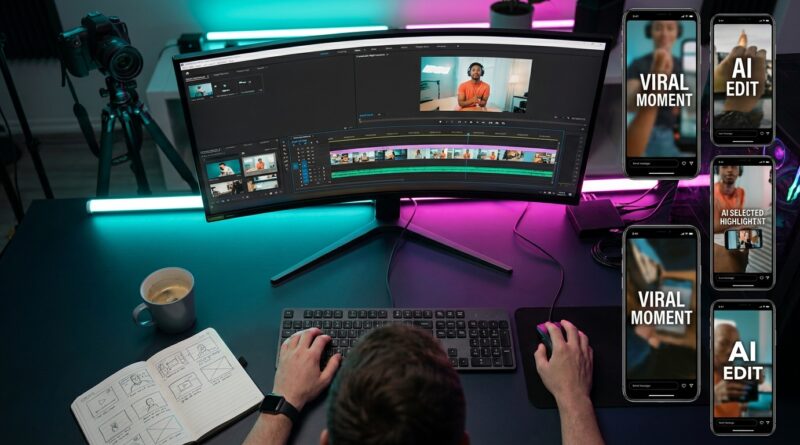
The ‘AI Rough Cut Relay’ Hack: Use One Smart Tool To Auto-Build Your First Edit In Minutes
You know that miserable part of editing where the creative work has not even started yet, but an hour is already gone. You dump clips into the timeline, scrub through dead air, trim around mistakes, and try to guess where the good bits are. Then midnight shows up and you realize your “quick edit” was mostly sorting, not editing. That is exactly why the AI rough cut relay is catching on. Instead of asking one app to make the final video, you use one smart tool as your first-pass assistant. It scans a long recording, finds likely highlights, builds a rough sequence, and hands you something usable in minutes. For anyone looking for an ai clip generator for social media, this is the shift that matters. The best tools are no longer toys. They are very good at the boring first cut, which means you get your time and your energy back for the choices humans are still better at.
⚡ In a Hurry? Key Takeaways
- Use an AI clip generator to build the first rough cut fast, then do the real polish yourself.
- Start with long-form content like podcasts, livestreams, interviews, and talking-head videos for the best results.
- Always review AI picks before posting, because speed is great, but context, tone, and brand safety still need human eyes.
What the “AI Rough Cut Relay” hack actually is
Think of it like a baton pass.
The AI handles the first lap. It transcribes your video, spots topic changes, finds strong soundbites, removes some filler, and creates short clips or a basic timeline. Then it passes that rough cut to you, or to your usual editor, for the second lap.
That second lap is where you tighten pacing, fix captions, add branding, swap bad picks, and make the video feel like you.
This matters because the first pass is where creators lose the most time. Not because it is hard, but because it is repetitive. It is sorting. It is trimming pauses. It is checking whether the useful sentence started 20 seconds earlier than you thought.
An AI clip generator for social media is good at that kind of grunt work now. Not perfect. Good enough.
Why this is suddenly useful in 2026
Social platforms keep pushing fast, frequent posting. You can feel it everywhere. More Shorts. More Reels. More clips pulled from longer videos. More creators turning one recording session into a week of posts.
At the same time, the software finally improved. Earlier AI editors often made weird choices, cut off punchlines, or grabbed lines that sounded smart but had no setup. Newer tools are much better at identifying full thought units and packaging them into vertical-ready chunks.
That is why this is not just a novelty anymore. It is workflow.
Who should use this first
This works best if you already make content with lots of spoken words.
Best fits
Podcasts. Livestreams. Tutorials. Webinars. Coaching calls. Product explainers. Talking-head videos. Interview footage.
Less ideal fits
Highly cinematic edits, comedy that depends on exact timing, or videos where visual action matters more than the spoken script.
If your content lives in the “I talked for 20 to 60 minutes and now need five short clips” category, this hack is built for you.
How to do the rough cut relay without making a mess
Step 1: Feed the AI one clean source file
Give it your full recording, not ten half-named clips from your downloads folder. A clean source helps the tool detect speakers, topics, and pacing better.
Step 2: Ask for clips by goal, not just by length
Do not only say “make 30-second clips.” Say “find 5 clips with strong hooks for Instagram Reels” or “pull highlights where I explain one useful tip in plain language.”
The more specific the prompt, the less junk you review.
Step 3: Let it build the rough cut
This is the key mental shift. Do not expect a final masterpiece. Expect a head start.
If the AI gives you eight possible clips and three are good, that is still a win. You just skipped a lot of scrubbing.
Step 4: Review for context and tone
Watch every clip before posting. AI can miss sarcasm, cut away too early, or keep a sentence that needs the line right before it.
This step is where you protect your brand.
Step 5: Polish only the winners
Add captions. Tweak the hook. Fix the framing. Drop in your brand colors. Maybe add B-roll for pace. If you want help on that part, The ‘Auto B‑Roll Engine’ Hack: Let AI Fill Every Awkward Gap In Your Reels Timeline is a smart next move after the rough cut is done.
What to expect from a good AI clip generator for social media
You do not need magic. You need a tool that gets the first draft mostly right.
Useful features
Accurate transcription. Speaker detection. Silence trimming. Topic detection. Auto-generated titles or hooks. Vertical crop suggestions. Caption styling. Highlight scoring. Export presets for Shorts, Reels, and TikTok.
Features that matter less than they sound
Flashy avatars. Overproduced transitions. Dozens of templates you will never use.
Pick the tool that saves you time, not the one with the longest feature page.
The biggest mistake people make
They ask the AI to do all the editing.
That is usually where disappointment starts. The smarter way is to use it for selection and structure first. Let it find the moments. Let it line them up. Then you step in and make judgment calls.
It is the difference between hiring an assistant to pull the right files and asking that assistant to write your whole speech.
How much time this can realistically save
For many creators, the ugly first hour can shrink to 10 or 15 minutes of review.
A 30-minute talking-head recording might turn into:
- 3 to 6 decent short-form clips
- 1 rough long-form cut with filler reduced
- Auto captions ready for cleanup
- A shortlist of timestamps worth keeping
That does not mean zero editing. It means less hunting.
Where this hack shines the most
Repurposing long-form content
This is the sweet spot. One podcast can become a week of social posts. One livestream can become bite-sized tips. One client training can become educational Shorts.
Teams with bottlenecks
If a creator records content but an editor is buried, AI can hand that editor a cleaner starting point.
Solo creators near burnout
This is probably the biggest win. You stop spending your best brainpower on timeline babysitting.
What AI still gets wrong
It can choose a clip that sounds complete but feels flat. It can miss emotional nuance. It can keep words that are technically correct but not how you want to sound. It can also over-trim natural pauses and make you seem robotic.
So yes, use the machine. Just do not hand over your taste.
At a Glance: Comparison
| Feature/Aspect | Details | Verdict |
|---|---|---|
| Speed | Can turn a 30-minute source video into several rough social clips in minutes. | Big time saver for the first pass. |
| Quality control | AI usually finds usable moments, but context, pacing, and tone still need a human check. | Good assistant, not a full replacement. |
| Best use case | Podcasts, livestreams, interviews, tutorials, and talking-head content meant for Shorts, Reels, and TikTok. | Excellent for repurposing long-form into volume content. |
Conclusion
The smart play right now is not to ask AI to be your full editor. It is to use it as your first-pass sorter, clip finder, and rough-cut builder. That is where the real time savings live. Social platforms are still rewarding volume and speed, and AI editors have finally gotten good enough to handle the boring early stage without falling apart. That means a 30-minute recording can become several vertical-ready posts after a few minutes of review, not an exhausting late-night editing session. For creators, that is a practical win. You can post more consistently, repurpose podcasts, livestreams, and talking-head videos into Shorts, Reels, and TikToks, and keep your focus on the creative decisions that actually move performance. Less timeline babysitting. More publishing. More energy left for the part of the job that only you can do.