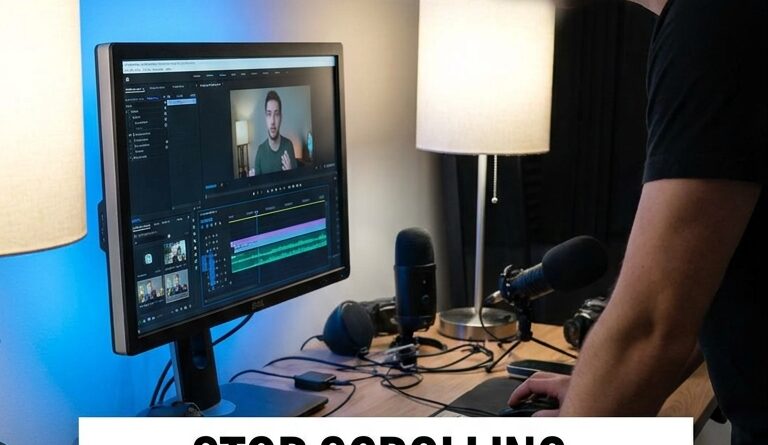
The ‘Text Hook All The Way Through’ Hack: Turn Every Talking-Head Clip Into A Watch-To-The-End Reel
You know the pain. You record a solid talking-head clip, your first line is good, your edit is clean, and the video still falls off a cliff after a few seconds. That is maddening, especially when the content itself is actually useful. A lot of the problem is simple. People are scrolling fast, often on mute, and once your opening hook text disappears, the reason to keep watching disappears with it.
The fix is surprisingly low-tech. Keep text hook on screen entire reel. Not giant subtitles covering your face. Just a short, clear headline strip that stays visible from the opening second to the last frame. Think of it like a tiny billboard that keeps reminding the viewer why this clip matters. Done right, it can lift watch time, improve saves, and help those “almost good” reels finally hold attention long enough to perform.
⚡ In a Hurry? Key Takeaways
- Yes, you should keep a short hook line on screen for the entire reel if you want more people to stay watching.
- Use one benefit-driven sentence at the top or bottom, and keep it readable, stable, and on-brand.
- This works in almost any editing app, and it is a low-risk test you can add today without changing how you film.
Why this hack works
Most viewers do not make a careful decision to watch. They sort of drift into a video. Then they drift out just as fast.
A one-second hook at the start can grab attention, sure. But if the viewer looks away, joins late, or is watching with sound off, they miss the whole point. Your reel turns into a random face talking.
That is where a persistent hook helps. It keeps reselling the promise of the clip. Every second, it answers the silent question in the viewer’s head.
Why should I keep watching this?
If your text says, “3 edits that make you sound more confident on camera,” the viewer instantly understands the payoff. Even if they joined two seconds late. Even if the audio is muted. Even if your delivery is calm instead of flashy.
What “text hook all the way through” actually means
This is not about plastering your whole script on screen.
It means keeping one short line visible for the full length of the reel. Usually 5 to 10 words. Sometimes 12 if the wording is very clean.
Good examples
“Stop rambling in videos with this trick”
“The 10-second fix for boring hooks”
“Why your reels die after 3 seconds”
“3 camera tweaks that make you look sharper”
Bad examples
“Today I want to talk about something that I think a lot of creators struggle with”
“Watch until the end because this gets really important”
The good ones promise a result. The bad ones waste space.
How to keep text hook on screen entire reel without making it ugly
This is the part people overcomplicate. You do not need a fancy template.
1. Pick one clear promise
Ask yourself what the viewer gets by staying. Not what you are saying. What they get.
Better: “How to stop getting ignored in Stories”
Worse: “My thoughts on Story engagement”
2. Put it in a text strip
A simple colored bar at the top or bottom works best. It creates separation from the video so the text is easy to read.
Top placement often feels more editorial. Bottom placement can work too, but be careful not to fight with auto-captions or app buttons.
3. Keep it readable on a phone
Use big type. Strong contrast. Short wording.
If someone has to squint, you lost.
4. Do not animate it forever
Bring it on once. Then let it sit there.
Constant motion makes the screen feel busy and cheap. The text is supposed to support the message, not compete with it.
5. Leave safe margins
Different apps crop and cover parts of the screen with icons, captions, and buttons. Keep your text away from the very edges.
If you are already making versions for different platforms, this pairs nicely with The ‘Two-Timeline’ Hack: Steal This Pro Trick To Edit Once And Ship Everywhere, because it helps you keep your main text layer consistent while adjusting for each app’s layout.
Best use cases for this trick
This hack shines most in talking-head videos where the value is informational.
It works especially well for:
Tutorials
Opinion clips
Quick lessons
Myth-busting videos
Before-and-after breakdowns
Creator advice
It is less useful for:
Fast comedy sketches
Cinematic b-roll pieces
Videos where the visual surprise is the main hook
Even then, you can still test it. Just use a lighter touch.
The biggest mistake people make
They confuse a hook with a title.
A title names the topic. A hook sells the benefit.
“Lighting Tips for Reels” is a title.
“Look better on camera with one cheap light” is a hook.
That difference matters. A lot.
A simple workflow in any editing app
You can do this in CapCut, Premiere Pro, Final Cut, VN, Canva, or pretty much anything that lets you add text.
Quick setup
Drop your talking-head clip onto the timeline.
Add your normal captions if you use them.
Create a text box with your persistent hook.
Stretch that text layer across the full video length.
Add a background strip or shadow for contrast.
Check it on a phone before posting.
That is it.
You are not rebuilding your process. You are adding one layer.
What to test first
If you want to know whether this helps, do not guess. Run a clean test.
Try these variables one at a time
Hook wording
Top vs bottom placement
Bright strip vs subtle strip
Question format vs statement format
Benefit-led vs curiosity-led phrasing
Keep the video itself the same if possible. Then compare watch time, average view duration, and saves.
Often the win is not dramatic at first glance. Maybe people stay 8 percent longer. Maybe saves rise a bit. On short-form platforms, that can be the difference between a post fading out and a post getting pushed further.
At a Glance: Comparison
| Feature/Aspect | Details | Verdict |
|---|---|---|
| Opening hook only | Text appears at the start, then disappears after a second or two | Fine for strong visuals, but easy to lose viewers on mute |
| Persistent text hook | Short headline stays on screen the whole reel and keeps the promise clear | Best option for most talking-head educational clips |
| Full subtitle overload | Too much text, too many styles, cluttered layout | Avoid, unless readability is still clean and intentional |
Conclusion
If your talking-head reels are getting polite early views and then dying halfway through, this is one of the easiest fixes to try. Short-form feeds are louder than ever, and plenty of people are skimming with the sound off. So a single flash of hook text at the start often is not enough anymore. A strong text strip that stays on screen acts like a mini headline from the first second to the last frame. It keeps explaining the value, keeps the viewer oriented, and gives your content a better shot at earning watch time and saves. Best of all, you do not need a new app, a new trend, or a total editing overhaul. Just add one smart layer to the workflow you already use, and test it on your next reel.