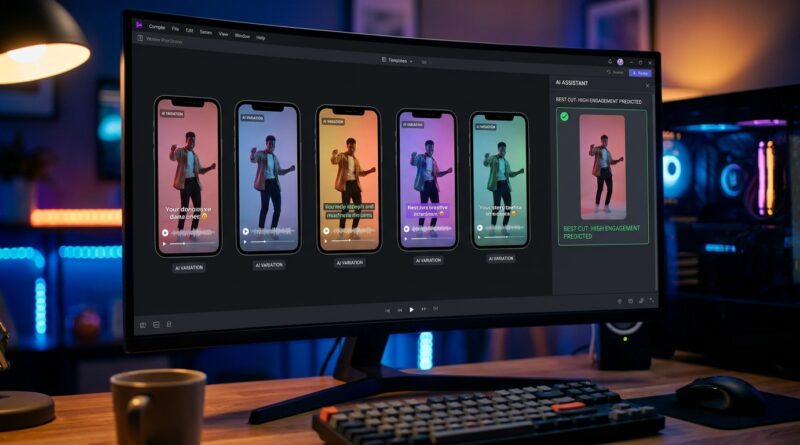
The ‘AI Version Split-Test’ Hack: Let Your Editor Pick The Best Reel Before You Post
You know the routine. You trim a reel, tweak the captions, pick a song, export the “final” version, post it, and hope the algorithm is in a good mood. That is exhausting, mostly because you already know one painful truth. A lot of short-form performance comes down to tiny choices like the first two seconds, caption size, cut speed, and music energy. The good news is you no longer need to rebuild three separate edits by hand just to test those choices. The newer AI tools inside editing apps make rapid versioning much more realistic. You keep one master timeline, ask the editor to generate a few variants, then pick the one that feels clearest and quickest before you publish. That is the real AI video editing split testing for social media reels trick. It is less about robots replacing your taste, and more about giving your taste three shots on goal instead of one.
⚡ In a Hurry? Key Takeaways
- Do not export one “final” reel and guess. Build one master edit, then create 2 to 4 AI-assisted variants before posting.
- Test small differences first, like hook line, caption style, pacing, and music, because those usually matter more than a full re-edit.
- AI can speed up versioning, but your eyes still matter most. Pick the version that feels easiest to understand with the sound off and strong with the sound on.
Why this hack works so well
Most creators are not failing because their ideas are bad. They are failing because they are forced into single-shot publishing. One edit. One caption style. One music choice. One chance.
That is a rough way to work, especially on reels where tiny details can change whether someone watches for one second or ten.
The smart fix is not making five completely different videos. It is making one strong master project and then spinning off a few controlled versions. Think of it like trying on jackets, not sewing a new outfit every time.
What AI is actually doing here
AI in video editors is getting useful in a very specific way. It can suggest alternate hook text, restyle captions, tighten pauses, swap music moods, reframe subjects for vertical video, and sometimes even generate shorter or punchier cutdowns from your master timeline.
That means AI video editing split testing for social media reels is finally practical for solo creators and tiny teams. You are not spending all afternoon duplicating timelines and dragging clips around by hand.
The basic version split-test workflow
Keep this simple. If you test too many things at once, you will create chaos instead of clarity.
Step 1: Build one “master” reel
Make your cleanest, most complete version first. Good structure matters more than any AI feature.
Your master should include:
- The full story or teaching point
- Your best default music choice
- A readable caption style
- Your normal pacing and transitions
This is your source file. Protect it. Do not keep hacking it apart.
Step 2: Duplicate the project 2 to 4 times
Now make a few variants. Not ten. Usually three is enough.
Example:
- Version A: Fastest hook, bigger captions
- Version B: Same cuts, different music mood
- Version C: Shorter intro, text hook on screen immediately
If your editor has built-in AI suggestions, use them here. Let it propose alternate text layouts, trim dead air, or match cuts to beat changes. You are not handing over the whole job. You are asking for speed help.
Step 3: Change only one or two variables per version
This is where people mess it up. If one version has new music, a new hook, new captions, new timing, and a different ending, you will not know what actually improved it.
Try controlled edits like:
- Hook wording
- Caption size and placement
- Music intensity
- Opening shot choice
- Length of pauses between lines
Step 4: Watch all versions back-to-back
Do this on your phone, not just your desktop preview. The phone is where your audience will judge it.
Watch once with sound on. Then watch once with sound off.
Ask three plain-English questions:
- Which one makes the point fastest?
- Which one feels easiest to follow?
- Which one would stop me from scrolling?
What to test first if you are short on time
If you only have 20 extra minutes, do not reinvent the whole reel. Test the parts that usually move performance the most.
1. The first two seconds
This is the big one. Try a text-first opening versus a face-first opening. Or start with the result before the explanation.
2. Caption style
Many reels lose people because the text is too small, too low, too wordy, or just ugly. AI caption tools can quickly generate alternate layouts with different emphasis styles.
3. Music choice
Music changes perceived speed. The same cuts can feel sleepy or urgent depending on the track.
4. Pacing
A half-second trimmed from every pause can make a reel feel dramatically better. AI silence detection and rhythm-based trimming can help here.
How this saves time instead of creating more work
The fear is obvious. “Great, now I have to make three reels instead of one.”
That is not the idea.
The time savings come from staying inside one project and using AI to do the repetitive cleanup. Things like auto-captions, beat matching, reframing, and alternate text formatting are exactly the kind of chores software should handle.
If your editing process already feels slow and clumsy, it is worth tightening that first. A good companion read is The ‘Keyboard-Only Cutdown’ Hack: Edit TikToks And Reels 2x Faster Without Upgrading Your Gear. Faster controls and smarter versioning work very well together.
Which tools are best suited for this
You do not need a giant agency setup. Look for editors that offer some mix of these features:
- Project duplication without messy relinking
- Auto-caption restyling
- AI cut suggestions
- Beat sync or music matching
- Text rewrite help for hooks
- Auto reframe for vertical subjects
CapCut, Premiere Pro, Descript, Final Cut add-ons, and some mobile-first social editors are all moving in this direction. The exact app matters less than the workflow. One master. A few variations. Quick review. Best version wins.
Common mistakes to avoid
Letting AI over-edit the piece
If the tool trims all your breathing room and makes every cut hyperactive, your reel may feel cheap. Fast is good. Frenetic is not always good.
Testing too many versions
Three useful versions beat eight confusing ones. Decision fatigue is real.
Ignoring silent viewing
A reel can sound great and still fail because nothing makes sense without audio. Always check readability and story flow with the sound off.
Assuming the “prettiest” version is best
Clean design helps, but clarity wins. A plain version that explains itself fast can outperform a stylish one.
What “winning” really means before you post
You are not trying to predict the exact view count. Nobody can do that consistently.
You are trying to improve your odds by choosing the version with the strongest first impression.
A winning version usually has:
- A clear hook in the first second or two
- Text that is readable without squinting
- No wasted setup time
- Music that supports the mood instead of fighting it
- A payoff that lands quickly
If one version feels faster, clearer, and easier to understand, that is often enough reason to choose it.
At a Glance: Comparison
| Feature/Aspect | Details | Verdict |
|---|---|---|
| Single “final” export | Quick in the moment, but relies on guesswork for hook, captions, pacing, and music. | Fine for emergencies, weak as a long-term posting habit. |
| Manual multi-version editing | Gives control, but takes too long if you rebuild each reel from scratch. | Useful, but too slow for most solo creators. |
| AI-assisted version split-testing | Keeps one master project and quickly creates alternate hooks, text layouts, pacing, and track choices. | Best balance of speed, clarity, and realistic testing. |
Conclusion
This is one of those rare workflow upgrades that actually feels useful right now. The tool landscape has shifted toward built-in AI assistants and rapid versioning, which makes creative A/B testing realistic for solo creators and small teams, not just big agencies with extra hands. Instead of wasting hours rebuilding edits, you keep one master project, generate a few AI-assisted variants with different hooks, text layouts, and track choices, and choose the version that feels fastest and clearest before you publish. That means more watch time, fewer dead posts, and less of that awful “well, I guess we’ll see” feeling every time you hit upload.