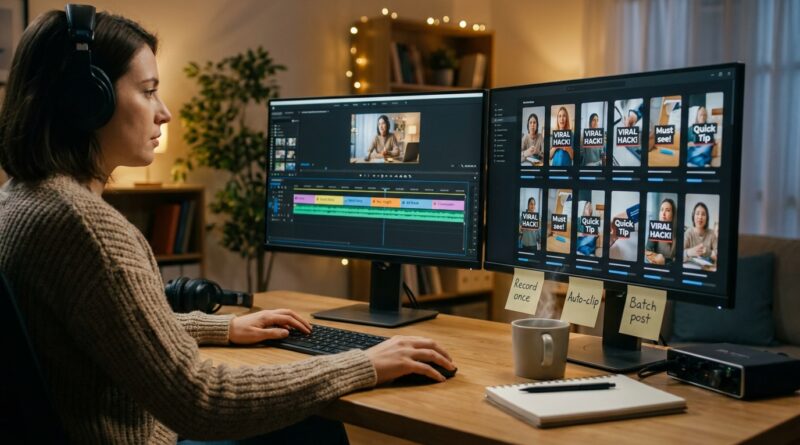
The ‘Auto-Clip Pipeline’ Hack: Turn One Long Video Into A Week Of Reels In An Hour
You record a great podcast, webinar or talking-head video, then lose the next three hours chopping it into Shorts. That is the part nobody brags about. The upload is easy. The clipping, reframing, caption fixing and export mess is what eats your week. If you have tried shiny all-in-one AI tools, you already know the catch. They can find moments, sure, but then you still get weird crops, broken captions, limited exports, or clips that need cleanup anyway. So the real win is not finding a magic button. It is building a simple auto-clip pipeline that does the boring first pass for you, then hands off the good bits to the editor you already trust. If you want to know how to turn long videos into multiple short clips automatically, this is the practical version. One strong long recording can become 10 to 20 usable posts in under an hour if your workflow is set up right.
⚡ In a Hurry? Key Takeaways
- Use AI clipping tools for discovery, not final delivery. Let them find strong moments, then finish in your normal editor.
- Batch the work in this order: transcript, clip suggestions, select winners, clean edit, captions, export presets.
- The safest way to save time is a hybrid workflow. You keep quality control while still cutting your editing time hard.
The real hack is not one app
Most creators get stuck because they expect one tool to do everything well. That is usually where the frustration starts.
One app is good at transcription. Another is good at spotting quote-worthy moments. Your main editor is still better for timing, cleanup, branding and final exports. Once you accept that, the process gets much easier.
The auto-clip pipeline is basically this: feed a long video into an AI clipping tool, let it suggest the best moments, send the selected clips into your editor, clean up the framing and captions, then export a batch for each platform.
That is the difference between “automatic” and “actually useful.”
The stack that works today
You do not need a fancy production setup. You need a dependable chain.
Step 1: Start with one clean long-form source
This could be a podcast, Zoom interview, webinar, tutorial or direct-to-camera monologue. The better the source, the better the clips.
Make your life easier at recording time:
- Use decent audio. Bad audio kills short clips faster than soft video.
- Leave brief pauses between points. AI tools detect topic changes more cleanly.
- Say complete thoughts out loud. Fragments are harder to clip into standalone posts.
- Front-load strong opinions, useful tips and surprising lines.
If your long video is rambling, the AI will ramble with you.
Step 2: Use an AI clip finder for the first pass
This is where tools like OpusClip, Vidyo.ai, Klap, Vizard, or similar products earn their keep. Their best job is not replacing your editor. Their best job is scanning a long video and surfacing possible highlights fast.
What they usually do well:
- Transcribe the full video
- Spot sections with higher “clip potential”
- Create vertical reframes
- Add basic animated captions
- Export rough social-ready cuts
What they often do poorly:
- Choose the exact best starting frame
- Handle jokes, sarcasm or subtle context
- Keep captions 100 percent accurate
- Make clean platform-specific exports every time
- Apply your visual style consistently
So yes, use them. Just do not stop there.
Step 3: Pick 10 to 20 candidates, not 2 “perfect” clips
This is where people slow themselves down. They overthink selection.
Your first pass should be quick. Pull a bigger pile of decent candidates, then narrow later. You are trying to build a week or two of content, not carve a statue.
A good shortlist usually includes:
- One bold opinion clip
- Two or three practical tips
- One story or mistake
- One myth-busting clip
- A few punchy quote-style moments
- A couple of clips with different hook styles
This matters because volume helps you test. A clip you think is average might outperform your favorite.
Your editor is where the clips become post-ready
Once the AI gives you rough clips, move them into your normal editor. Premiere Pro, Final Cut, CapCut Desktop, DaVinci Resolve. Use what you already know.
This is the part that saves your sanity. Instead of editing from scratch, you are cleaning up a pre-sorted stack.
What to fix manually every time
- The first 1 to 3 seconds. This is where people decide to keep watching or swipe away.
- The crop. Make sure the face, gesture or visual proof stays centered.
- The captions. Fix names, jargon and punctuation.
- The ending. Trim dead air and weak sign-offs.
- The title safe area. Leave room for TikTok and Reels interface elements.
If your intros are weak, it is worth reading The ‘One-Click Hook Inspector’ Hack: Fix Your First 3 Seconds Before You Waste An Edit. It lines up perfectly with this workflow because there is no point polishing a clip that loses people instantly.
The one-hour batch workflow
Here is the version a solo creator can actually follow.
0 to 10 minutes: Upload and analyze
Drop your long video into an AI clipping tool. Let it transcribe and suggest moments while you do something else.
10 to 20 minutes: Review suggestions fast
Do not watch every second. Skim the suggested clips, save the promising ones, reject the obvious duds.
20 to 45 minutes: Clean the winners in your editor
Open the best 10 to 20 clips. Tighten openings, correct captions, fix reframing, add your brand style, and trim endings.
45 to 60 minutes: Export in a batch
Use saved presets for 9:16 vertical export. Name files clearly by topic or hook. Queue them all at once.
That is the whole engine. One recording in. A week of short-form out.
How to turn long videos into multiple short clips automatically, without letting quality fall apart
The key word is automatically. Not blindly.
You want the machine to handle detection, transcription and rough clipping. You want a human, which is probably you, to handle judgment. That is the balance.
Think of AI as your rough-cut assistant. It brings you a tray of options. You still choose what makes sense for your audience.
If you skip that last bit, you get the classic problems: clips with no context, weak openings, awkward sentence starts, and captions that make you look careless.
What kinds of long videos clip best
Not every format produces the same number of good shorts.
Best performers
- Podcasts with clear opinions and back-and-forth energy
- Webinars with step-by-step teaching
- Talking-head videos with sharp, complete points
- Interviews with strong stories or surprising answers
Harder to clip well
- Slow screen recordings with little verbal punch
- Long rambles with no structure
- Videos full of references that need full context
- Footage with poor audio or lots of cross-talk
If you want more clips from the same source, record with clipping in mind. Say the important sentence early. Repeat the key point in a tighter way. Give the editor, or your future self, clean handles.
Common mistakes that waste the time you were trying to save
Using AI captions without checking them
Auto-captions are much better than they used to be. They are still not magic. Product names, people names and industry terms get mangled all the time.
Letting the tool choose every crop
Auto-reframing misses reaction shots, demos and hand gestures. Check anything visual.
Exporting directly from the clipping app every time
Sometimes that is fine for speed. But if the app gives you soft video, odd fonts or awkward spacing, finish in your editor instead.
Posting all clips with the same hook style
You are not just creating content. You are running small tests. Change the first line, on-screen text, and pacing.
Trying to save bad source material
If the original video drags, the clips will drag too. Short-form does not rescue weak ideas.
A simple folder system that keeps this manageable
You do not need a fancy asset manager. Just stay organized enough that future-you does not hate you.
- 01 Long Source
- 02 AI Suggested Clips
- 03 Selected Finals
- 04 Captions and Graphics
- 05 Exports
Name clips by idea, not by random numbers. “3-ways-to-price-freelance-work” is better than “clip_17_final_final2.”
When an all-in-one tool is enough
To be fair, sometimes you do not need the extra cleanup.
If you are posting fast commentary, trend reactions, or low-stakes volume content, direct export from an AI clipper may be good enough. Speed can matter more than polish.
But for educational content, branded content, client work, or anything tied to your reputation, the hybrid workflow wins almost every time.
At a Glance: Comparison
| Feature/Aspect | Details | Verdict |
|---|---|---|
| All-in-one AI clipping app | Fast transcript, clip suggestions, auto-captions, quick vertical exports | Great for speed, weak for final polish |
| Hybrid pipeline | AI finds moments, your editor handles hooks, captions, branding and exports | Best balance of speed and quality |
| Manual editing from scratch | Full control, but you review every second and build every clip by hand | Best for perfectionists, worst for consistency |
Conclusion
The creators winning right now are not the ones chasing a fake magic button. They are the ones using a steady system. If you have been overwhelmed by all-in-one tools that promise everything and fit badly into real editing work, the answer is simpler than it sounds. Let AI do the sorting. Let your editor do the finishing. That is how you turn one long recording into 10 to 20 platform-ready clips without burning a whole day. It means you can post more, test more hooks, and stay in front of your audience even if you are a team of one. A solid auto-clip pipeline is not flashy. It is just dependable. And dependable is what gets content out the door.